

Take payments
Build a sale using touchscreen product buttons or barcode scanning, then take payment through your connected payment setup.
Make checkout, stock management and daily reporting simpler with an Android EPOS system built around the way you trade. Explore flexible till setups for shops, cafés, takeaways and salons.
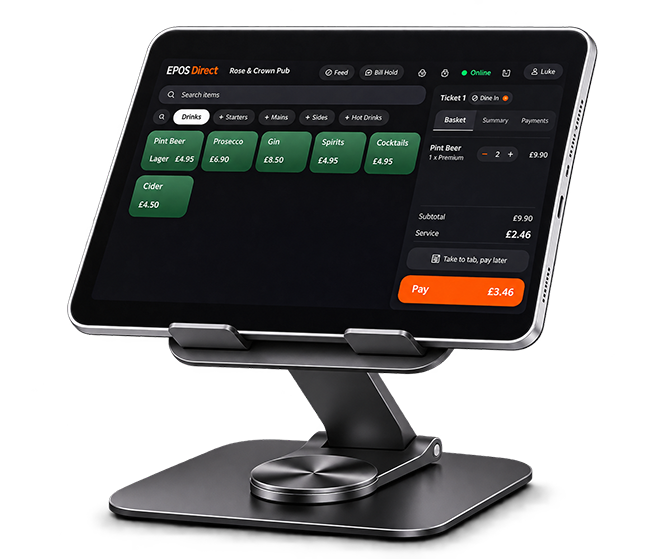
An Android POS system runs till software as an app on compatible Android devices. Your team can tap products on screen or scan barcodes, take payment and record each sale. Product and stock information can be shared across connected tills, giving you a more consistent view of trading.
Build a sale using touchscreen product buttons or barcode scanning, then take payment through your connected payment setup.

Track stock as products are sold and use low-stock alerts to help your team know when items need replenishing.

Use sales reports to understand activity by product, time period and employee, and make end-of-day checks easier.
Choose software that makes everyday tasks quicker and helps reduce avoidable mistakes. Start with the features that matter most to your business.


Your till setup should support accurate VAT handling and produce records your accountant can use. Customer information should be handled in line with UK GDPR, and card payments should be processed through a PCI DSS-compliant payment provider.
Ask your supplier to confirm the relevant software, data-protection and payment arrangements in writing before you buy.
Android gives you hardware options, so you can match your till to your counter space, transaction volume and plans for growth.
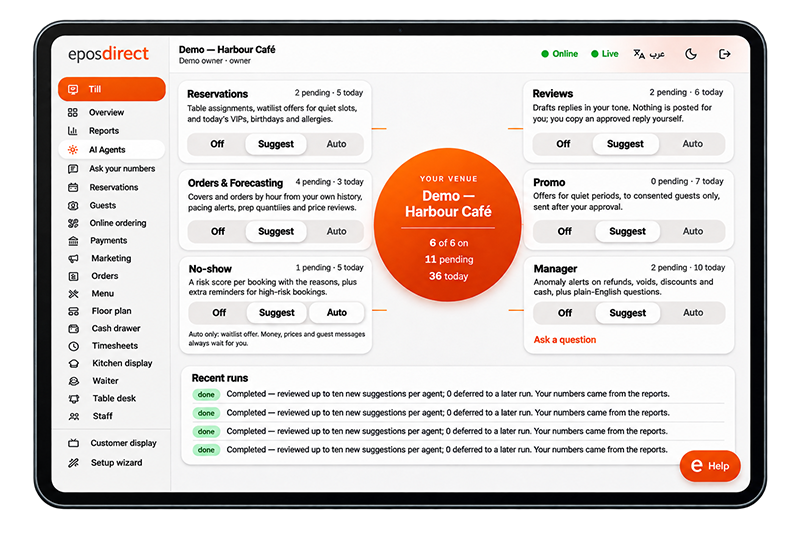
The right setup depends on your counter, number of tills and how busy your business gets.
| Setup | Best for | Typically includes |
|---|---|---|
| Single tablet till | New shops, stalls and lower-volume businesses | Tablet, stand, card reader and printer |
| Android POS terminal | Busy shops and cafés | All-in-one terminal, scanner and cash drawer |
| Multi-till setup | Several counters or business locations | Multiple devices, shared stock and central reports |
A small-business POS should be straightforward to learn, practical to run and flexible enough to grow with you.

Speed up the checkout process, scan products and keep an eye on stock levels across your shop.

Use touchscreen product buttons to build orders and review sales activity throughout the day.

Take payments, sell retail products and use staff-level reporting to review business activity.
Compare the typical differences and check which approach suits your operation.
| Consideration | Android till system | Traditional POS till system |
|---|---|---|
| Upfront cost | Generally lower | Generally higher |
| Counter space | Compact options available | Can be bulkier |
| Updates | May be delivered automatically | May require engineer support |
| Adding a till | Add a compatible device | May require another full unit |
These are general comparisons. Actual costs, features and update processes depend on the system and supplier.
Assess the software and support before choosing the hardware. Ask every supplier these questions.
Which Android versions and devices are officially supported?
Who manages security updates, and how often are they provided?
Does the system work offline, and how do sales sync when the connection returns?
Which payment providers can you use, and what fees apply?
Are installation, product import and hardware connections included?
What training is provided, and how can you contact support when needed?
We start by understanding how you trade, then work through the setup with you.
We ask about your business, how you trade and how many tills you need.
Your quote separates hardware, software, payment fees and support so you can review the costs.
We configure the software, import your products and connect compatible printers, scanners and card readers.
We train your team and can suggest a short parallel run with your existing system to check that totals match.
An Android POS system is a till that runs on Android devices such as tablets and all-in-one terminals. It can take payments, manage stock and report sales, with data stored securely in the cloud where supported by the system.
It can be a good fit for a small business because it offers flexible hardware options, can be straightforward for staff to learn and gives you options to add compatible tills as you grow.
Some systems support offline trading by storing sales locally and syncing when the connection returns. Offline features vary, so confirm exactly what continues to work without an internet connection before buying.
The cost depends on the number of tills, hardware accessories, software and support arrangements. Ask for a written quote that separates hardware, software, payment fees and support.
Compliance depends on the software, how customer data is handled and the payment provider. Ask the supplier how data is protected and confirm that card payments are processed through a PCI DSS-compliant provider.
Compatible peripherals can be connected depending on the Android device and POS software. Ask EPOS Direct to confirm compatibility for the specific hardware you plan to use.
Tell us how you trade, what equipment you need and how many tills you plan to run. Our team can help you explore a suitable setup and provide a clear written quote.
Request a consultation