
☁
Access from anywhere
Check sales, reports and business activity from supported devices, whether you are at the counter or away from the café.
Manage orders, tables, menus, staff and stock from one connected platform. Keep your front-of-house and kitchen working together, while checking business performance from your till, tablet or phone.
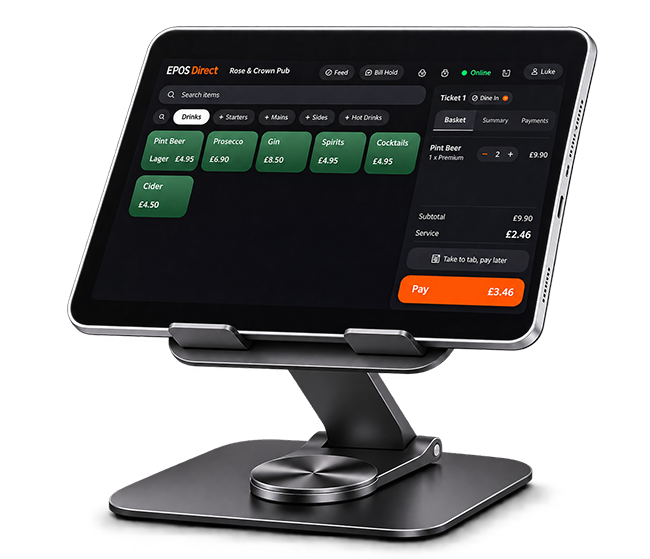
A cloud EPOS system connects your till and business data to an online platform instead of relying on one back-office computer. Sales, stock and reports can sync between locations, helping you keep track of day-to-day performance wherever you are.
Check sales, reports and business activity from supported devices, whether you are at the counter or away from the café.
Keep tills, menus, stock information and reporting connected across your café or hospitality sites.
Bring key business information together to make daily checks, updates and management tasks easier.
Support the customer journey from the first order to payment, preparation and reporting with a flexible set of EPOS tools.
Set up coffee, tea, cold drinks and food menus with clear categories, popular items and quick-select buttons.
Configure sizes, milk choices, extra shots, syrups, toppings and other add-ons with the relevant price options.
Organise table orders, keep track of open bills and support dine-in service for cafés with seating.
Handle counter collection, takeaway and eat-in orders through a clear order workflow.
Route relevant order tickets to kitchen or preparation printers to help teams coordinate food and drinks.
For compatible setups, send orders to a kitchen display so staff can view and manage preparation queues.
Work with compatible card terminals and payment providers to take supported card and contactless payments.
Support split bills and different payment methods for groups, subject to your selected EPOS configuration.
Encourage repeat visits with supported customer rewards, offers and promotional pricing.
When the café gets busy, clear communication matters. A connected EPOS workflow helps counter staff, baristas and kitchen teams work from the same order information.
Select items, options and table or takeaway type.
Route tickets to the correct preparation area.
Kitchen and barista teams work from order details.
Complete the sale using a supported payment setup.
Use cloud-based reporting and management tools to keep an eye on performance without waiting until you return to the premises.
Review sales by site, product, staff member or trading period, where supported by your reporting setup.
Monitor products and ingredients, review stock levels and identify items that may need replenishing.
Manage menus, prices and promotions centrally across multiple locations with the relevant multi-site configuration.
Set role-based access for relevant tasks and help control who can access sensitive functions and reports.
Understand best-selling items and busy trading periods to support menu, staffing and purchasing decisions.
Explore compatible connections for online ordering, accounting and delivery platforms to reduce duplicate admin.
Use a suitable combination of touchscreen tills, tablets and peripherals for your counter, tables and kitchen. Cloud POS software can support different device types, subject to compatibility checks.
Discuss integrations for accounting tools such as Xero and QuickBooks, and ordering or delivery services such as Deliveroo, Just Eat and Uber Eats. Available connections depend on the chosen software configuration.
Explore IntegrationsInternet access is important for a cloud EPOS system. An offline mode can help maintain selected till operations during a connection interruption, with data syncing again when the connection returns.
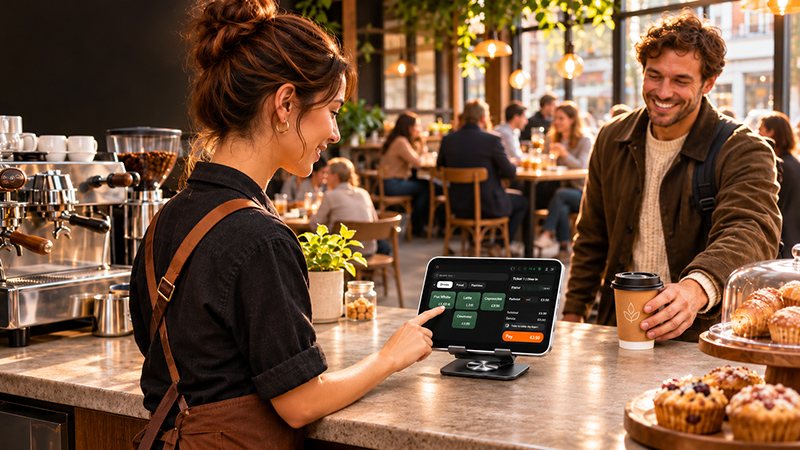
Before going live, ask the EPOS team to demonstrate the offline workflow for your specific hardware, payment terminal and venue setup.
Understand the practical differences when choosing a till system for your café or hospitality business.
| Area | Cloud EPOS | Traditional EPOS |
|---|---|---|
| Data access | Access reports across supported devices and locations. | Often limited to the in-store system. |
| Updates | Updates may be managed centrally or automatically. | May require manual updates. |
| Multi-site | Central management can be built into the platform. | May require more complex setup. |
| Internet | Internet connection is used, with offline mode as a backup where supported. | May operate locally without cloud access. |
| Backups | Cloud backups may be managed by the provider. | Backup processes may need local management. |
Choose a setup based on your menu, service style, number of tills and the way your team works.
Fast counter billing, drink modifiers, receipt printing and simple sales reporting.
Menu management, eat-in and takeaway orders, stock visibility and customer rewards.
Product categories, quick billing, stock tracking and clear order handling.
Table orders, food modifiers, kitchen printing and bill management.
Table service, menu management, payment options and loyalty features.
Central menu control, multi-location reporting and consistent processes across branches.
From the first conversation to go-live, plan your system around the way your business operates.
Walk through your café’s requirements and see relevant workflows in action.
Prepare product lists, menus, modifiers, staff access and business settings.
Configure compatible tills, printers, cash drawers and payment devices.
Help your team understand the system and confirm support arrangements before launch.
Compare the available plans and choose the option that best fits the way you run your business.
£5.00
£6.00 inc. VAT
For the first 3 months, then £29.00 + VAT/month. First paid subscription only.
£5.00
£6.00 inc. VAT
For the first 3 months, then £59.00 + VAT/month. First paid subscription only.
£99.00
£118.80 inc. VAT
£5.00
£6.00 inc. VAT
For the first 3 months, then £29.00 + VAT/month. First paid subscription only.
Pay from day one. No contract. Cancel anytime. Ask us about full pricing.
Compare what is included with each plan, from everyday till features to kitchen tools, bookings and growth options.
| Feature | Starter | Pro | Premium | Reservations Only |
|---|---|---|---|---|
| Till & payments | ||||
| Devices | Up to 1 device | Up to 3 devices | Unlimited | Not applicable |
| Till | ✓ | ✓ | ✓ | — |
| Menu management | ✓ | ✓ | ✓ | — |
| Digital and printed receipts | ✓ | ✓ | ✓ | — |
| Cash management | ✓ | ✓ | ✓ | — |
| Keeps selling when the internet drops | ✓ | ✓ | ✓ | — |
| Use your own card machine | ✓ | ✓ | ✓ | — |
| Staff access | ✓ | ✓ | ✓ | — |
| Sales reports | ✓ | ✓ | ✓ | ✓ |
| Kitchen & floor | ||||
| Kitchen display | — | ✓ | ✓ | — |
| Take orders at the table on a handheld | — | ✓ | ✓ | — |
| Tables and floor plan | — | ✓ | ✓ | — |
| Table QR ordering | — | ✓ | ✓ | — |
| Guests & bookings | ||||
| Bookings | — | ✓ | ✓ | ✓ |
| Booking diary | — | ✓ | ✓ | ✓ |
| Guest profiles | — | ✓ | ✓ | ✓ |
| AI team | ||||
| AI management assistant | — | ✓ | ✓ | — |
| Growth | ||||
| Online ordering | — | — | ✓ | — |
| Marketing tools | — | — | ✓ | — |
| Loyalty rewards | — | — | ✓ | — |
| Reports across all your sites | — | — | ✓ | — |
A cloud EPOS system stores and manages business data online rather than relying only on one in-store computer. It can sync sales, stock and reports so authorised users can access information across supported devices.
Offline operation depends on the system and configuration. Where offline mode is supported, selected till operations can continue during an internet interruption and synchronise when the connection returns. Confirm which functions remain available.
Yes. A suitable hospitality setup can support counter orders, table service, takeaway, menu management, kitchen printing and reporting. The exact features depend on the selected software and hardware.
Menu modifiers can be configured for options such as drink sizes, milk choices, extra shots and syrups where supported by your EPOS setup.
Compatible setups can route order tickets to kitchen printers or a kitchen display system. Ask the team to confirm the hardware and workflow required for your venue.
Multi-site cloud EPOS configurations can help manage menus, prices and reporting across locations. Confirm the number of sites and management features included in your package.
Some tablets, computers, printers and payment devices may be compatible. The EPOS team should check your exact models before you purchase or install the system.
Security depends on the provider's architecture and processes. Ask about encryption, backup arrangements, user permissions, data handling and relevant compliance status before choosing a system.
Pricing depends on the number of terminals, locations, hardware, software features and support requirements. Contact EPOS Direct for a quote based on your café setup.
Integrations may be available for accounting, online ordering and delivery services. Confirm the supported platforms and any setup requirements with the EPOS team.
See how a cloud EPOS system can bring your counter, kitchen, stock and reporting together. Talk to EPOS Direct about a setup that suits your café or hospitality business.
