We use cookies to make your experience better.
To comply with the new e-Privacy directive, you agree to the privacy policy and our use of cookies

How a Shop Till System Works: A Plain-English Guide for UK Retailers
How Does a Till System Work in a Shop? Everything UK Retailers Need to Know
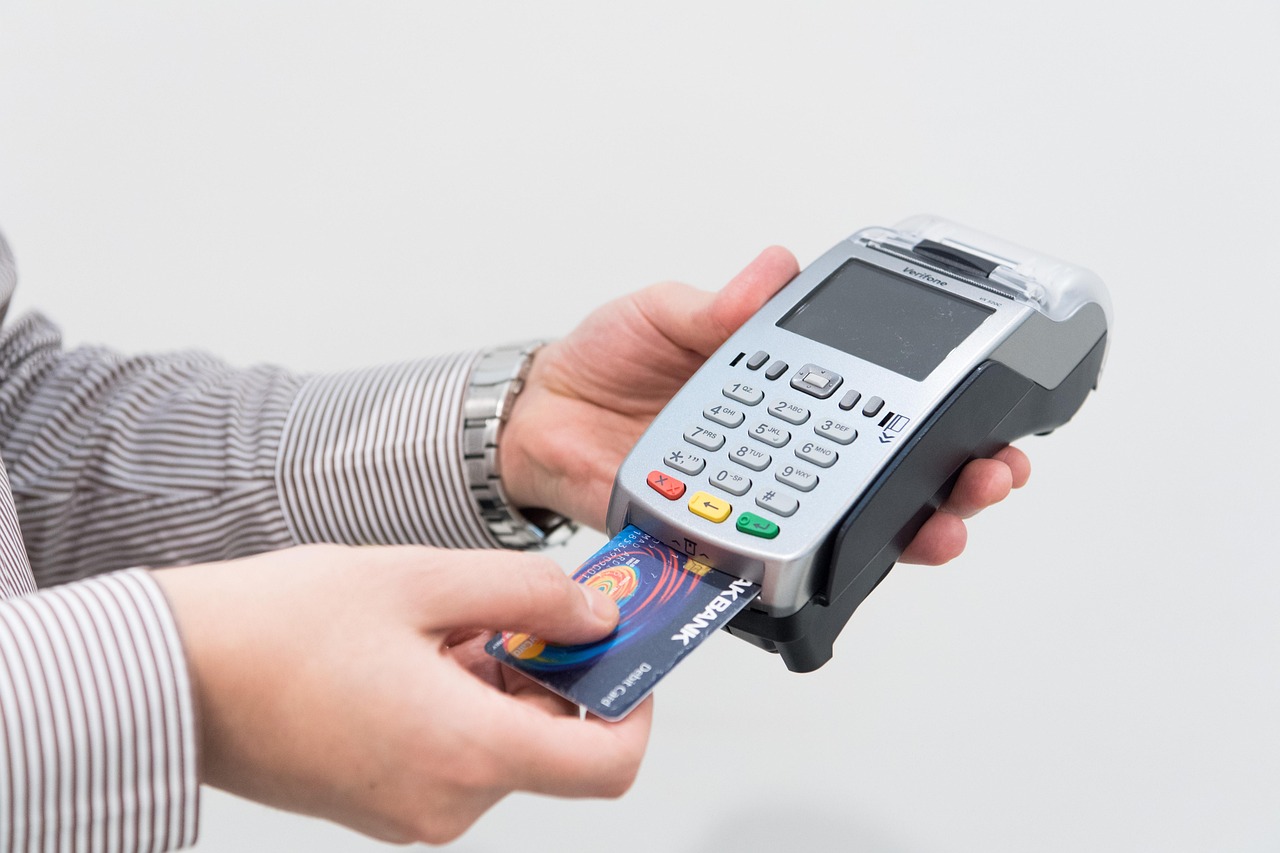
A modern till system is far more than a cash drawer and a receipt printer. At its core, it is an integrated point-of-sale platform that captures every transaction, updates stock in real time, processes card and contactless payments, and feeds live data back to the retailer — all within seconds of a customer completing a purchase. Understanding how these components work together helps UK shop owners choose the right setup, avoid costly mistakes, and get genuinely useful intelligence out of their investment.
Written by the EPOS Direct UK team, who support independent retailers, hospitality venues and specialist businesses across the United Kingdom with EPOS and POS system advice every day.
The Core Components of a Modern Till System Explained
Every till system — whether a compact countertop unit or a multi-terminal retail estate — is built from the same fundamental layers: hardware, software, and payment processing. Each layer has a distinct role, and they only deliver full value when they work seamlessly together.
Hardware
- Touchscreen terminal or monitor — the primary interface for staff to navigate menus, scan products, apply discounts and process transactions.
- Barcode scanner — reads product codes to instantly retrieve item details and pricing from the product database.
- Receipt printer — produces itemised receipts for customers; many retailers now supplement this with digital receipt options.
- Cash drawer — electronically triggered by the software to open only when a cash transaction is completed, reducing shrinkage risk.
- Card payment terminal (PDQ machine) — communicates with payment processors to authorise debit, credit and contactless transactions, including Apple Pay and Google Pay.
- Customer-facing display — shows the running basket total and promotional messages, improving transparency at the point of sale.
Software
The EPOS software is the intelligence layer. It holds your product catalogue, pricing rules, promotions, staff permissions, and reporting logic. Every action taken on the hardware is recorded, timestamped and stored — making the software the single source of truth for your business data.
Connectivity
Modern systems connect over broadband or 4G/5G, allowing cloud-based software to sync data between terminals, back-office dashboards, and even e-commerce platforms in real time. Most reputable systems also offer an offline mode so trading continues uninterrupted if your connection drops temporarily.

Step-by-Step: What Happens When a Customer Makes a Purchase
The process feels instantaneous from a shopper's perspective, but a well-designed EPOS system completes a precise sequence of steps in the background.
- Item scanning or entry — the barcode scanner reads the product's EAN or SKU code. The software retrieves the product name, price, applicable VAT rate and any active promotion.
- Basket building — items are added to a transaction record. The system applies any multi-buy offers, loyalty points or staff discounts automatically, according to the rules you have configured.
- Payment selection — the cashier selects the payment method. For card payments, the terminal communicates with the acquirer network; for cash, the operator enters the tendered amount and the software calculates change.
- Authorisation — card transactions are sent via an encrypted connection to the payment processor, which contacts the card scheme (Visa, Mastercard, etc.) and the customer's issuing bank. Approval or decline is returned, typically within two to three seconds.
- Stock decrement — the moment a sale is confirmed, the software reduces the on-hand quantity for every item sold. If a product falls below its reorder threshold, an alert can be triggered automatically.
- Receipt and record — a receipt is printed or emailed, and the completed transaction is written to the sales ledger, feeding your real-time reports.
How EPOS Software Connects Sales, Stock and Reporting in Real Time
The most transformative aspect of a modern EPOS setup is the live connection between what is sold and everything else the business depends on. When a denim jacket sells in your clothing boutique, the system simultaneously updates available stock, logs the transaction against the correct category, attributes the sale to the staff member who processed it, and makes that data visible on your back-office dashboard — before the customer has left the shop floor.
This integration matters practically in several ways:
- Inventory accuracy — no more manual stock counts after every trading day; the system maintains a running total updated with every sale, return and goods-in movement.
- Supplier reordering — low-stock alerts and automated purchase order generation reduce the risk of selling out of bestsellers.
- Multi-location visibility — retailers with more than one site can view combined or individual stock levels and sales from a single dashboard.
- E-commerce synchronisation — integrated platforms ensure that selling a product in-store immediately adjusts the online inventory, preventing overselling.
If you operate a clothing business, our guide to the best EPOS systems for clothing shops in the UK covers the specific features — size and colour matrix, season management, label printing — that make the biggest difference in fashion retail.
Cloud-Based vs Traditional Till Systems: Key Differences for Retailers
One of the most common questions retailers ask before investing is whether to choose a cloud-based system or a traditional on-premise setup. The right answer depends on your trading model, technical appetite and budget.
| Feature | Cloud-Based EPOS | Traditional (On-Premise) EPOS |
|---|---|---|
| Data storage | Hosted remotely; accessible anywhere | Stored locally on your hardware |
| Software updates | Automatic, pushed by the provider | Manual; may require engineer visits |
| Offline trading | Available with offline mode; syncs on reconnect | Fully functional without internet |
| Remote access to reports | Yes — any browser or mobile app | Limited; usually requires on-site access |
| Upfront hardware cost | Lower; often subscription-based | Higher; typically purchased outright |
| Scalability | Add terminals or locations easily | More complex to expand |
| Best suited to | Growing retailers, multi-site, e-commerce sellers | Single-site, low-connectivity environments |
Most UK independent retailers launching or upgrading today opt for cloud-based solutions, drawn by lower upfront costs, automatic feature updates and the freedom to check reports from home. You can explore the EPOS Direct software platform to see how the cloud-based approach works in practice, or book a retail EPOS software demo to walk through the interface with a specialist.
How Payment Processing Works at the Point of Sale
Payment processing is the layer that turns a confirmed basket into settled revenue. When a customer taps their card or phone on the PDQ terminal, several parties are involved in fractions of a second:
- Acquirer — your merchant services provider (the bank or payment processor you have a contract with) receives the transaction request from your terminal.
- Card scheme — Visa or Mastercard routes the request to the customer's issuing bank.
- Issuing bank — checks available funds or credit, applies fraud screening and returns an approval or decline code.
- Settlement — approved funds are typically settled into your business bank account within one to three working days, depending on your acquirer agreement.
For retailers who need flexibility away from a fixed counter — market traders, pop-up shops or floor-walking staff — a wireless card machine that integrates directly with the till removes the need to handle two separate systems. Our guide to the best wireless card machines for small businesses in the UK explains the key differences between portable, mobile and countertop terminals.
Many businesses also benefit from combining their card machine and till into a single, unified solution. The complete guide to combined card machine and till systems covers integrated versus separate setups and what each means for your transaction fees and reporting.
What a Till System Can Tell You About Your Business Performance
The reporting capability of a quality EPOS system is where many retailers discover the real return on their investment. Rather than waiting for end-of-month accounts, you can access live insight that informs decisions today.
Sales reporting
- Revenue by hour, day, week or custom period — invaluable for staffing decisions and promotional planning.
- Best and worst-performing products, categories and suppliers.
- Average transaction value and basket size trends over time.
Stock and margin reporting
- Current stock value and cost of goods sold.
- Shrinkage tracking — comparing expected stock versus actual on-hand quantities highlights loss and discrepancy.
- Margin by product line, helping you identify which categories are genuinely profitable versus merely high-turnover.
Staff and operational reporting
- Sales attributed by staff member, supporting performance management and commission calculations.
- Refund and void rates — unusually high rates by a particular terminal or operator can flag a process or integrity issue.
- Peak trading hour analysis to optimise rotas and reduce overstaffing during quiet periods.
This depth of reporting transforms the till from a transaction device into a management tool — one that gives independent retailers the same data visibility that larger chains have long taken for granted.
What Does a Till System Cost? Honest Indicative Ranges for UK Retailers
Cost is invariably one of the first practical questions retailers ask, and the honest answer is that it varies significantly based on hardware specification, software tier and whether you opt for a subscription or outright purchase model. The following ranges are indicative of typical UK market pricing and should be used as a starting-point guide rather than a quote.
- Entry-level single-terminal setup (tablet-based, cloud software, basic card terminal): typically from around £300–£600 for hardware, plus a monthly software subscription often in the range of £20–£50 per month.
- Mid-range countertop EPOS terminal (purpose-built touchscreen, barcode scanner, receipt printer, integrated card terminal): hardware commonly falls between £600 and £1,500, with software subscriptions typically from £40–£80 per month depending on features.
- Multi-terminal or multi-site retail systems: hardware costs scale per terminal; enterprise software licences or per-terminal SaaS fees vary widely — most multi-site setups for SME retailers fall broadly in the range of £80–£200 per month for software across all locations.
- Payment processing fees: transaction fees charged by acquirers vary by card type and volume; most UK small retailers see blended rates somewhere in the range of 0.5%–1.75% per card transaction. Always compare acquirer contracts separately from your EPOS hardware and software costs.
For a deeper look at what to expect at different budget levels, our guide to the most affordable EPOS systems for small businesses in the UK breaks down where you can save and where cutting corners tends to cost more in the long run. You can also visit the EPOS Direct UK home page for current offers and information across our full range.
Choosing the Right Till System for Your Shop: What to Look For
With a clear picture of how these systems work, the practical question becomes which configuration is right for your specific trading environment. Here are the decision criteria that matter most.
Questions worth asking before you commit
- Does the software handle your sector's specific needs? A clothing retailer needs size and colour variants; a food-to-go business needs kitchen display and modifier management; a pharmacy has dispensing and age-verification requirements. Generic retail software may not cover these without expensive customisation.
- What does the support model look like after go-live? Hardware failures and software queries happen. Confirm whether support is UK-based, what the response time commitment is, and whether telephone support is included or an additional cost.
- How easily does it integrate with your existing tools? Accounting software (Xero, Sage, QuickBooks), e-commerce platforms and loyalty programmes should connect without manual data re-entry.
Sector-specific considerations
- Small independent retailers benefit from simplicity and low total cost of ownership — our practical guide to the best till systems for small businesses covers the options in detail.
- Growing businesses should prioritise scalability: can you add a second terminal, a second site, or an online channel without switching platforms entirely?
- High-footfall environments (convenience, pharmacy, quick-service) need fast, reliable hardware and minimal screen-tap sequences to keep queues moving.
For businesses that want a complete, joined-up view of EPOS options across retail and other sectors, the complete 2026 guide to EPOS systems for small businesses is a useful reference before requesting a demo or speaking to a specialist.
A Clear Answer: How a Till System Works in Summary
A till system works by combining hardware (terminal, scanner, printer, card machine) with EPOS software that records every transaction, updates stock instantly, processes payments through a secure acquirer network, and makes that data available through live reports. The hardware captures the sale; the software connects it to everything else in your business. Together, they give retailers — of any size — the operational control and commercial insight that makes the difference between guessing and knowing.
Ready to See It in Action?
EPOS Direct UK works with independent retailers, growing chains and specialist businesses across the United Kingdom to find, configure and support the right EPOS setup for their trading environment. Whether you are starting from scratch or outgrowing your current system, our specialists can walk you through the options without jargon or pressure.
- View our retail EPOS offers — current packages for UK shop owners.
- Request a free demo — see the system live before you commit to anything.
- Talk to an expert online — get straightforward advice matched to your specific business.
Frequently asked questions
- What is the difference between a basic cash till and an EPOS system?
- A basic cash till simply opens a drawer and records a total sale amount. An EPOS (Electronic Point of Sale) system goes much further: it scans barcodes, updates stock levels automatically, generates sales reports, processes card payments, manages staff logins and integrates with accounting software. For most UK shops, an EPOS system pays for itself quickly through time saved and shrinkage reduced.
- How much does a till system cost for a small UK shop?
- Costs vary by complexity. A basic all-in-one EPOS bundle for a single-till UK retail shop typically starts from around £300 to £600 as a one-off hardware purchase, with monthly software subscriptions ranging from £20 to £60 per month depending on features. Full multi-terminal systems with integrated card readers and back-office software can range from £800 to £2,000-plus. EPOS Direct UK offers tailored packages, so it is worth getting a quote based on your exact setup.
- Can a modern till system work without an internet connection?
- Yes. Most quality EPOS systems, including those supplied by EPOS Direct UK, operate in offline mode if the internet drops. Sales are recorded locally and synced automatically to the cloud once the connection is restored. This means your shop never has to stop trading due to a temporary outage, which is particularly important for busy retail and hospitality environments.
