We use cookies to make your experience better.
To comply with the new e-Privacy directive, you agree to the privacy policy and our use of cookies

The Best POS Systems with Stock Management for UK Retail Shops
POS Systems with Stock Management for UK Retail: The Complete Guide
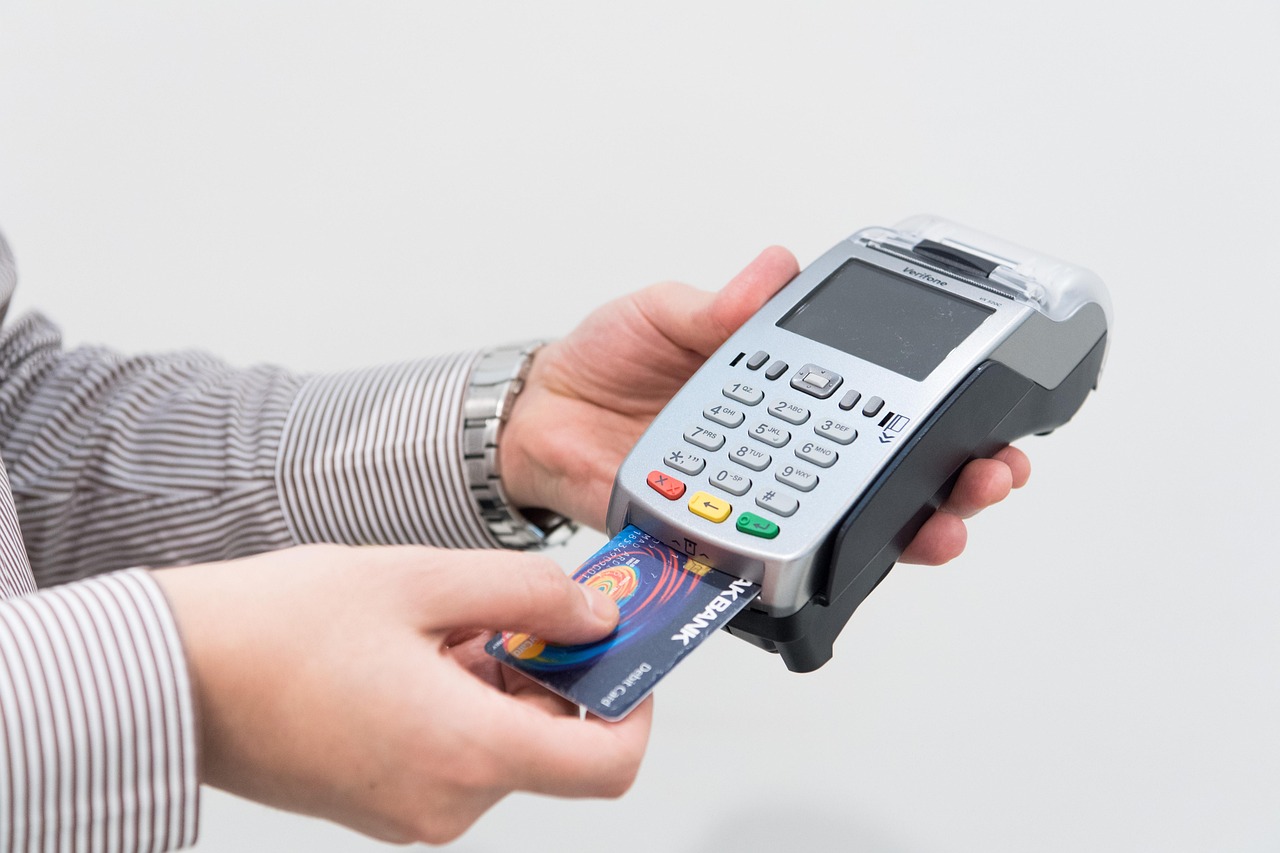
A modern retail EPOS system does far more than process payments — when it includes integrated stock management, it becomes the operational backbone of your entire shop. For UK retailers managing multiple product lines, seasonal ranges or more than one location, the right system eliminates the manual counting, spreadsheet guesswork and costly errors that hold businesses back. This guide explains exactly what to look for, what realistic setups cost, and how to choose a solution that genuinely fits your retail operation.
Why UK Retailers Need Integrated Stock Management in Their EPOS System
Selling at the till and managing what sits on your shelves are not separate problems. Every transaction changes your stock position, and without a system that records both simultaneously, you are always working from yesterday's information. That gap between what you think you have and what is actually available drives two of the most damaging retail challenges: stockouts that lose sales and eroded customer trust, and overstock that ties up cash you could spend on better-performing lines.
For UK retailers in particular, the regulatory landscape adds further pressure. Making Tax Digital requirements mean accurate financial records matter more than ever, and an EPOS system that links real sales data to your stock and accounting reduces the reconciliation burden substantially. Independent boutiques, fashion retailers, health shops and convenience stores all benefit from the same core principle: every sale recorded at the point of purchase should instantly update inventory counts, reorder triggers and supplier records without a single manual entry.
If you run a clothing business, our guide to the best EPOS systems for clothing shops in the UK covers how variant-level stock control — tracking size, colour and style separately — works in practice.

Key Stock Management Features to Look for in a Retail POS System
Not all stock control is equal. A system that simply deducts a number from a count is a start, but a genuinely capable retail EPOS goes considerably further. When evaluating any solution, look for the following capabilities:
Core inventory features
- Real-time stock deduction at point of sale — counts update the moment a sale completes, not at end-of-day batch.
- Variant and attribute tracking — manage size, colour, weight or any product attribute as separate stock units under a single parent product.
- Low-stock alerts and automatic reorder points — the system flags or automatically generates purchase orders when a product falls below a threshold you define.
- Supplier and purchase order management — raise, send and receive purchase orders inside the same platform to keep incoming stock matched against what was ordered.
- Barcode scanning and label printing — fast, accurate goods-in and stocktake processes that eliminate manual keying errors.
- Multi-location stock visibility — if you operate more than one site, see consolidated and individual stock levels from a single dashboard.
- Stock transfer between locations — move stock between branches and have the adjustment reflected immediately across the whole system.
Reporting and analytics
- Sell-through rates and slow-mover reports to identify dead stock before it becomes a clearance problem.
- Stock valuation reports (both cost and retail value) to support accurate financial reporting.
- Shrinkage and variance reports that highlight discrepancies between system counts and physical counts.
You can explore the retail EPOS software in a free interactive demo to see how these features work before committing to anything.
How Real-Time Inventory Tracking Reduces Shrinkage and Overstock
Shrinkage — the difference between your system's recorded stock and what you can physically account for — erodes margin silently. It encompasses shoplifting, supplier short-deliveries, internal theft and simple administrative error. A system that tracks every item in real time, from goods-in through to sale or return, creates an audit trail that makes discrepancies visible and attributable rather than invisible and accepted.
Overstock is an equally significant problem, particularly for fashion and seasonal goods. When buyers rely on gut feel rather than data, they repeat the same mistakes: over-ordering popular-looking lines while underestimating demand for steady performers. Sell-through analytics and reorder-point automation shift purchasing decisions from instinct to evidence, which tends to result in leaner, better-matched stock holdings and improved cash flow.
The practical effect for most retailers is a meaningful reduction in the value of stock written off at season end and a reduction in emergency spot purchases — both of which directly improve margin without requiring a single additional sale.
Cloud-Based vs On-Premise Stock Control: Which Is Right for Your Shop?
This is one of the most common questions from retailers upgrading from a basic electronic till. The honest answer depends on your priorities around access, cost structure and internet reliability.
| Factor | Cloud-Based System | On-Premise System |
|---|---|---|
| Stock data access | Any device, anywhere, any time | Local network only unless VPN configured |
| Multi-site management | Built-in, centralised by default | Requires additional infrastructure |
| Upfront hardware cost | Lower — typically subscription-based | Higher — server and local licensing |
| Ongoing cost model | Monthly or annual subscription | Higher upfront, lower recurring |
| Software updates | Automatic, included in subscription | Manual, often charged separately |
| Internet dependency | Required (offline mode varies by vendor) | Operates fully without internet |
| Scalability | Add terminals and locations easily | Expansion requires hardware investment |
| Best suited for | Single and multi-site retailers; remote owners | Retailers in areas with unreliable connectivity |
For the majority of UK independent retailers today, a cloud-based system offers a better balance of capability, convenience and cost. The ability to check stock levels on a phone while visiting a trade show, or to give a manager remote access during a day off, is genuinely valuable. If broadband reliability is a concern for your location, verify whether the system offers a meaningful offline mode that syncs automatically when connectivity returns.
For a broader look at choosing the right setup, our guide to the best till systems for small businesses in the UK covers the full range of hardware and software considerations in practical detail.
How EPOS Direct's Retail POS System Handles Stock Management
EPOS Direct's retail solution is built around the practical workflows of UK independent and multi-site retailers. Stock management is not an add-on module — it is embedded throughout the system so that inventory data flows automatically from every transaction, goods-in receipt and stocktake.
What the system includes as standard
- Real-time inventory deduction at every terminal, updated instantly across all connected devices.
- Full product variant management, including size, colour and any custom attribute your range requires.
- Configurable reorder points with automatic low-stock alerts delivered to your dashboard and, where needed, by email.
- Integrated purchase order management with supplier records, so you can raise, send and receive orders without leaving the system.
- Stocktake tools with barcode scanner support, making periodic counts faster and more accurate than clipboard-and-pen processes.
- Multi-site stock visibility and inter-branch transfer, with all movements recorded in the audit log.
- Reporting suite covering sell-through, shrinkage variance, stock valuation and supplier performance.
The system also integrates with payment processing, so you are not managing a separate card machine workflow alongside your EPOS. If you are considering your payment options alongside your EPOS setup, our overview of combining a card machine and till system explains how integrated payment processing compares to standalone card readers.
If you would like to see the system in action before speaking to anyone, you can take the retail EPOS software demo at your own pace. Alternatively, talk to an expert online to discuss your specific retail setup and get a recommendation tailored to your product range and number of locations.
What Does a Retail EPOS System with Stock Control Cost in the UK?
Pricing varies considerably depending on the number of terminals, the depth of stock management features required and whether you need hardware included. The figures below are indicative ranges typical for the UK market — they are guidance rather than quotations, and your actual cost will depend on your specific configuration.
Typical UK retail EPOS pricing (indicative)
- Entry-level single terminal: typically from around £30–£60 per month on a subscription, or a one-off hardware investment of roughly £500–£900 for a complete starter bundle (terminal, receipt printer, barcode scanner).
- Mid-range single-site setup with full stock management: most setups fall between £60 and £120 per month inclusive of software, support and hardware lease, or £1,000–£2,500 upfront for an outright purchase configuration.
- Multi-site or multi-terminal retail: pricing scales per terminal and per location; expect indicative monthly costs from £100 upward depending on the number of tills and the reporting and integration features required.
Always look beyond the headline monthly fee. Support, training, software updates, payment processing rates and any integration fees for accountancy software or e-commerce platforms all affect the true total cost of ownership. A system that appears cheaper on the headline rate but charges separately for stock reporting, multi-location access or telephone support often proves more expensive in practice.
Our dedicated guide to the most affordable EPOS systems for small businesses in the UK breaks down how to compare total cost of ownership across different tiers and provider types. To get a specific quote for your setup, you can view the current retail EPOS offers from EPOS Direct or request a call back from the team.
How to Move from a Basic Till to a Full EPOS Solution
The transition from a standalone electronic cash register to an integrated EPOS system is more straightforward than most retailers expect, particularly if you work with a provider who handles the data migration, hardware setup and staff training as part of the onboarding process.
A practical migration approach
- Audit your current product data. Gather your existing product list, any barcodes in use, current stock counts and your supplier list. Even a rough spreadsheet gives the new system a starting point.
- Define your stock management requirements. Decide which features matter most for your range: do you need variant tracking? Multi-site? Integrated purchase orders? Prioritise these before evaluating any system.
- Choose hardware that fits your shop floor. A compact countertop terminal suits most retail environments, but consider whether you need a mobile terminal for pop-ups or markets, and whether barcode scanning is central to how you receive goods.
- Plan the data import. A quality EPOS provider will import your product catalogue, configure your stock counts and set up your categories before you go live, so you are not starting from scratch on day one.
- Train staff on stocktake and goods-in processes first. The sales till is intuitive for most people within minutes; the stock management workflows take slightly longer and benefit from a focused training session before launch.
- Set your reorder points from the start. Do not wait until you have run the system for several months. Set initial reorder thresholds based on your current knowledge and refine them as real sales data accumulates.
For businesses that are also reviewing their payment acceptance alongside this process, our guide to the best wireless card machines for small businesses in the UK covers how mobile payment hardware integrates with a fixed EPOS setup.
You can find more detailed guidance on EPOS selection across business types on the EPOS Direct UK home page, where current offers and expert resources are regularly updated.
Making the Right Decision for Your Retail Business
A retail EPOS system with integrated stock management is not a luxury reserved for large chains — it is the practical foundation of a well-run independent shop. The right system pays for itself by reducing stock write-offs, preventing costly stockouts, saving hours of manual counting and giving you the data to make buying decisions with confidence rather than guesswork.
The clearest advice is to start with your specific stock challenges: are you losing sales because you run out of your best lines? Are you writing off too much at season end? Are you spending hours on manual stocktakes? Identify the single most expensive problem first, and choose a system that solves it well — the rest of the feature set should follow naturally.
EPOS Direct UK has helped hundreds of independent retailers across the United Kingdom move to integrated EPOS solutions with real stock control built in. To see the system working on real retail scenarios, request a free demo — or if you would prefer to talk through your requirements first, speak with an EPOS Direct expert online today.
Written by the EPOS Direct UK team, who work with independent retailers, multi-site shops and specialist retail businesses across the United Kingdom every day, helping them find and implement EPOS and POS solutions that fit how they actually operate.
Frequently asked questions
- Can a POS system automatically update stock levels when I make a sale?
- Yes. A modern EPOS system deducts stock in real time the moment a transaction is completed at the till. Some systems also trigger low-stock alerts or automatic purchase orders when levels fall below a threshold you set, saving staff time and preventing out-of-stock situations.
- How much should I expect to pay for a retail EPOS system with stock management in the UK?
- Costs vary by business size and setup. For a single retail outlet, a complete EPOS bundle including hardware (touchscreen till, barcode scanner, receipt printer) and software with full stock management typically starts from around £500–£800 as a one-off purchase, with monthly software licences ranging from £20–£60 per month. Multi-site or enterprise solutions cost more but offer centralised stock visibility across all locations. EPOS Direct offers tailored quotes to match your exact requirements.
- Will a new POS system work with the product barcodes and suppliers I already use?
- In most cases, yes. Quality retail EPOS systems support standard EAN-13 and QR barcodes used by UK and European suppliers, meaning you can scan existing product barcodes straight away. Many systems also allow CSV or spreadsheet imports of your current product catalogue, so you are not starting from scratch.
