We use cookies to make your experience better.
To comply with the new e-Privacy directive, you agree to the privacy policy and our use of cookies

Affordable EPOS Systems for Small Retail Shops: A Practical UK Buyer's Guide
Affordable EPOS Systems for Small Retail Shops: A Practical UK Buyer's Guide
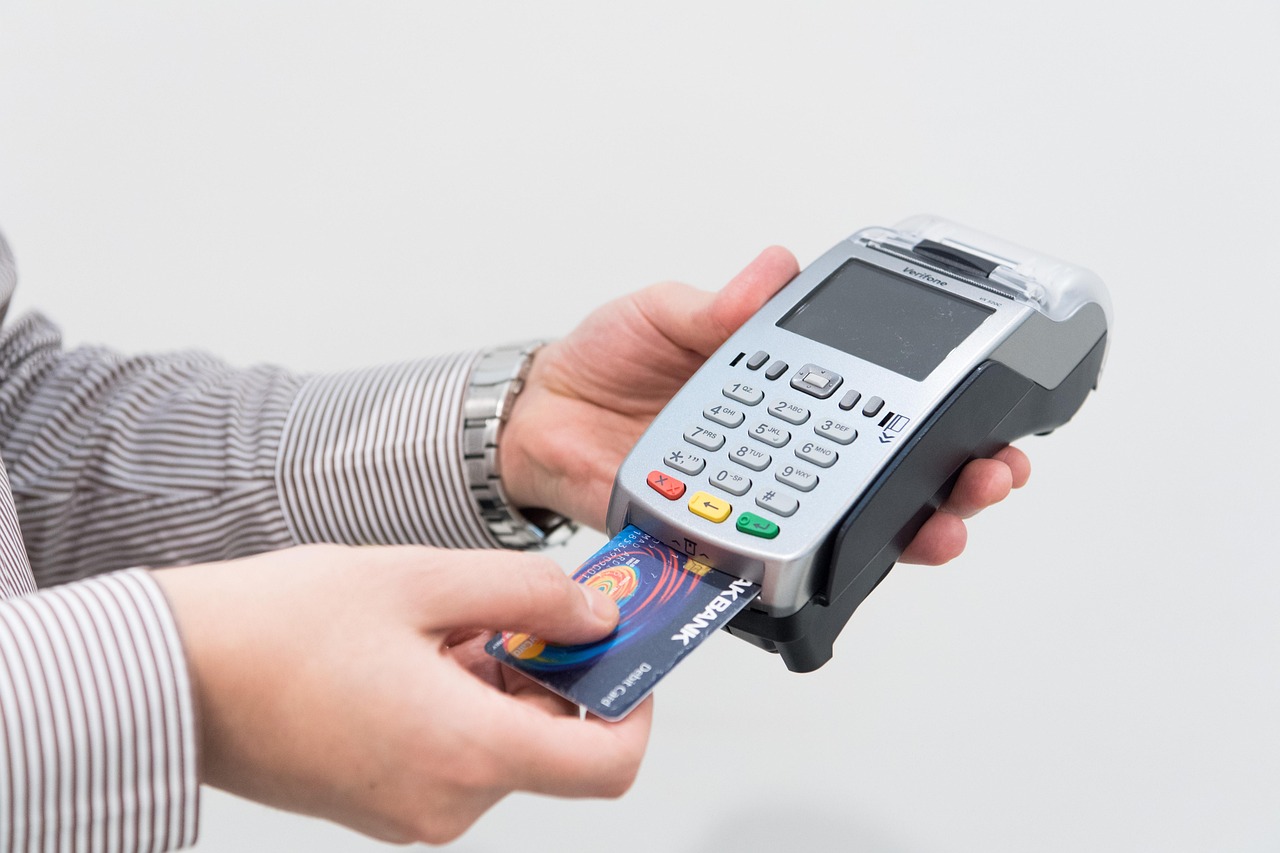
For small retail shops across the UK, finding a capable EPOS system without overstretching the budget is entirely achievable — the market has never offered more choice, or more transparency. A well-chosen system typically costs far less than most owners expect, and the right setup pays for itself quickly through time saved, fewer errors, and smarter stock control. This guide cuts through the noise to help you identify what genuinely matters, what you can reasonably spend, and how to avoid the traps that catch out first-time buyers.
What Does a Small Retail Shop Actually Need from an EPOS System?
Before comparing prices, it helps to be clear about what your shop genuinely requires. Many small retailers end up paying for functionality they will never use — and equally, some cut corners on features that turn out to be essential within the first few months.
Core requirements for most small retail shops
- Fast, reliable checkout: A touchscreen till with a barcode scanner and receipt printer handles the vast majority of retail transactions smoothly.
- Stock management: Even a basic EPOS system should track inventory levels and alert you when stock runs low — this alone saves hours of manual counting each week.
- Integrated card payments: Customers increasingly pay by card or contactless. A system where the till and card machine communicate reduces human error and speeds up end-of-day reconciliation. For more on this, see our guide to combining a card machine and till system.
- Sales reporting: Daily and weekly sales summaries help you spot your best-selling lines, understand quiet periods, and make smarter buying decisions.
- Simple staff management: Basic login functionality, sales-by-staff reporting, and permissions are useful even for a two-person operation.
Features you can probably defer
Advanced loyalty programmes, multi-location management, and complex e-commerce integrations are worth having eventually — but for a shop just getting started, they add cost and complexity without immediate return. Focus on getting the fundamentals right first.

How Much Does a Budget EPOS System Cost in the UK?
This is the question most buyers arrive with, and the honest answer is: it depends on whether you buy outright, pay monthly, or take a bundled package. Here is a realistic picture of what small retailers in the UK typically spend.
| Setup Type | Typical Upfront Hardware Cost | Typical Monthly Software Fee | Best Suited To |
|---|---|---|---|
| Tablet-based starter system | From approximately £300–£600 | From approximately £20–£50/month | Market stalls, pop-ups, very small shops |
| Entry-level countertop EPOS | From approximately £600–£1,200 | From approximately £30–£70/month | Single-till independent retailers |
| Mid-range retail bundle | From approximately £1,200–£2,500 | From approximately £50–£120/month | Shops with stock complexity or multiple staff |
| Fully managed retail EPOS | Variable (often lower upfront) | From approximately £80–£180/month | Growing retailers wanting support & updates included |
These are indicative market ranges to guide your planning — actual pricing varies by supplier, configuration, and any ongoing support arrangements. Always request a personalised quote based on your specific setup. You can view current retail EPOS offers from EPOS Direct UK to compare bundled options directly.
For a broader look at costs across business types, our guide to affordable EPOS systems for small businesses covers additional scenarios in detail.
Key Features to Look for Without Blowing Your Budget
A lower price tag does not have to mean compromised capability. The following criteria will help you evaluate any system sensibly.
Software that grows with you
The software is where you will spend most of your time, so it matters more than the hardware. Look for a cloud-based platform that receives regular updates, supports unlimited product lines, and generates meaningful reports without requiring a data analyst to interpret them. You can explore the EPOS Direct UK software platform to get a feel for what well-designed retail EPOS software actually looks like in practice.
Reliable hardware from a reputable supplier
Budget hardware from unknown brands often carries a lower warranty, inconsistent build quality, and limited driver support. A mid-range touchscreen terminal from a specialist EPOS supplier — supplied and supported in the UK — typically offers a far better total cost of ownership than the cheapest option on a general e-commerce marketplace.
Integrated payments
Standalone card machines work, but they create reconciliation headaches. An integrated payment solution — where the till sends the transaction amount directly to the card machine — reduces errors and speeds up your close-of-business process. If you are weighing up payment options separately, our guide to the best wireless card machines for small businesses is worth reading alongside this one.
Local UK support
This is the feature that budget comparisons almost always overlook. A system that goes down on a busy Saturday afternoon is a costly problem. Prioritise suppliers who offer UK-based telephone support during trading hours, not just an online ticketing system.
Cloud-Based vs Traditional EPOS: Which Is Cheaper Long-Term?
Traditional, or "on-premise," EPOS systems store all data locally on a server or the till itself. Cloud-based systems store data remotely, accessible via a browser or app from anywhere. This distinction has significant cost and practical implications for small retailers.
- Traditional systems often have a higher upfront cost and lower monthly fees, but software updates, server maintenance, and hardware replacements are typically your responsibility — and those costs accumulate over time.
- Cloud-based systems usually involve a monthly subscription that covers software updates, automatic backups, and sometimes support. For most small retailers, this predictable recurring cost is easier to manage than irregular capital expenditure.
- Connectivity: Cloud systems need an internet connection to function fully, though better platforms offer an offline mode for temporary outages. In most UK retail premises, broadband reliability is sufficient to make this a minor consideration rather than a dealbreaker.
For the majority of small independent retailers opening or upgrading today, a cloud-based EPOS system offers the more cost-effective and future-proof route — particularly when the subscription includes updates, support, and data backups as standard. Our detailed guide to EPOS systems for small businesses explores this trade-off in further depth.
Hidden Costs to Watch Out for When Buying a Low-Cost EPOS System
The advertised price of an EPOS system is rarely the full story. Experienced buyers know to look beyond the headline figure before committing.
Common additional costs to clarify upfront
- Installation and setup fees: Some suppliers charge separately for on-site installation, system configuration, and data migration. Confirm whether these are included or quoted separately.
- Training costs: Initial training for you and your staff may be free, or it may be charged as a day rate. Remote training is usually more affordable than on-site visits.
- Per-transaction fees: If integrated payments are included, understand the card processing rate. This is separate from the EPOS system cost and is worth comparing carefully. Our guide to card machines with no monthly fee covers the payment side of this in more detail.
- Support contract tiers: Basic support may be included, but priority response or out-of-hours cover sometimes sits behind a more expensive tier.
- Software licence limits: Some entry-level plans restrict the number of products, users, or reports available. Check that the tier you are considering matches your actual operation.
- Hardware warranties: Understand whether warranty repairs are collect-and-return or next-business-day on-site. The latter is considerably more valuable for a trading business.
None of these are reasons to avoid a system — they are simply questions to ask before signing. A reputable supplier will answer them clearly and without evasion. If you would like to talk through your specific situation before committing, talk to an expert online at EPOS Direct UK — the team will give you straightforward, jargon-free guidance.
Choosing the Right System for Your Type of Retail Shop
Not every retail shop has identical needs, and a system that is ideal for a gift shop may be unnecessarily complex — or surprisingly inadequate — for a fashion boutique or a newsagent. Matching the system to your specific product mix and customer flow matters.
Shops with a large product range
If you stock hundreds or thousands of SKUs, prioritise a system with robust barcode scanning, supplier management, and the ability to run purchase orders directly from the EPOS. Inventory accuracy becomes your most important feature, not just checkout speed.
Fashion and clothing retailers
Clothing retail introduces a layer of complexity — size, colour, and style variants for a single product. Most generic systems handle this poorly or require awkward workarounds. Our dedicated resource on EPOS systems for clothing shops in the UK covers what to look for in this specific context.
High-volume, low-SKU shops
A corner shop or convenience store with relatively few distinct products but high transaction volume needs a system optimised for speed: programmable quick-keys, fast receipt printing, and a simple, intuitive interface that new staff can learn in under an hour.
For further guidance across multiple business types, the EPOS Direct UK home page is a good starting point to explore the full range of available systems and current offers.
Why EPOS Direct UK Is a Smart Choice for Small Retailers on a Budget
EPOS Direct UK specialises in supplying and supporting EPOS systems for independent and small-chain retailers across the United Kingdom. The team works directly with business owners at every stage — from initial consultation through installation, training, and ongoing support — rather than operating through a remote call-centre model.
For small retailers, this matters in practical terms: you get a system configured for your shop, not a generic out-of-the-box package that requires an IT specialist to adapt. Bundled retail packages are designed to keep the total cost of ownership predictable, with hardware, software, and support structured transparently so there are no unpleasant surprises at renewal time.
If you would like to see the software before making any commitment, you can book a retail EPOS software demo — a no-obligation walkthrough that gives you a genuine feel for the interface and reporting tools your team would use every day.
For a comprehensive overview of what the brand offers across all business types, the complete guide to EPOS Direct UK systems is a useful reference point.
How to Get Started: Choosing and Setting Up Your First EPOS System
The process of selecting and implementing an EPOS system for the first time need not be intimidating. A structured approach makes it straightforward.
- List your non-negotiables: Write down the three to five features your shop cannot function without. Use this list to filter options, not marketing brochures.
- Set a realistic total budget: Include hardware, software for at least 12 months, installation, and a contingency for consumables such as receipt paper and a spare barcode scanner.
- Request a demonstration: Any credible supplier will show you the system working in a realistic retail scenario. Insist on seeing the stock management and reporting tools, not just the checkout screen.
- Check the support model: Ask specifically: who do you call if the system goes down during trading hours, and what is the typical response time?
- Plan your product data: Before go-live, you will need your product list — names, barcodes, prices, and categories — in a structured format. Starting this preparation early saves significant time during setup.
- Pilot before committing fully: Where possible, run your new EPOS system in parallel with your existing process for a short period to catch any configuration issues before they affect real transactions.
If you are ready to move forward, request a free demo from EPOS Direct UK and a member of the team will be in touch to understand your shop's specific requirements before recommending a solution.
The Bottom Line
A capable, reliable EPOS system for a small retail shop in the UK is firmly within reach at a sensible budget — the key is knowing what to prioritise, what to defer, and where the real value lies beyond the sticker price. Cloud-based systems with transparent monthly pricing, local UK support, and integrated payments consistently represent the best long-term value for independent retailers, regardless of how modest the starting budget is.
EPOS Direct UK exists specifically to help retailers like yours navigate this decision without wasted time or unnecessary complexity. Whether you are opening your first shop or replacing an ageing till system, the team is ready to help you find the right fit. Request a call back from EPOS Direct UK today and take the first step towards a system that works as hard as you do.
Written by the EPOS Direct UK team, who support independent and small-chain retailers across the United Kingdom with EPOS and POS system selection, installation, and ongoing service every day.
Frequently asked questions
- How much should I expect to pay for a basic EPOS system for my shop?
- In the UK, a basic EPOS setup for a small retail shop typically costs between £300 and £800 for entry-level hardware (touchscreen till, receipt printer, barcode scanner). Monthly software subscriptions can range from £20 to £60 per month depending on features. Some providers offer bundles that include hardware and software from around £500 upfront, or spread the cost with finance options. Always check what's included — stock management, reporting, and card payment integration can affect the total price.
- Do I need an internet connection for my retail EPOS system to work?
- It depends on the system type. Cloud-based EPOS systems require a reliable internet connection to sync data in real time, though many offer an offline mode so you can continue processing sales during outages. Traditional server-based systems store data locally and don't rely on the internet for day-to-day use. For most small retail shops, a cloud-based system with offline capability is the most practical and cost-effective choice.
- Can a low-cost EPOS system handle stock management and sales reports?
- Yes — many affordable EPOS systems designed for small retailers include built-in stock tracking, low-stock alerts, and daily sales reporting as standard. You don't need to spend a fortune to get useful business insights. When comparing systems, look for ones that include these features in the base package rather than charging extra for them, as add-on costs can quickly make a 'cheap' system expensive.
