We use cookies to make your experience better.
To comply with the new e-Privacy directive, you agree to the privacy policy and our use of cookies

EPOS Systems with Built-In Stock Management: The Complete Guide for UK Retailers
EPOS Systems with Built-In Stock Management: The Complete Guide for UK Retailers
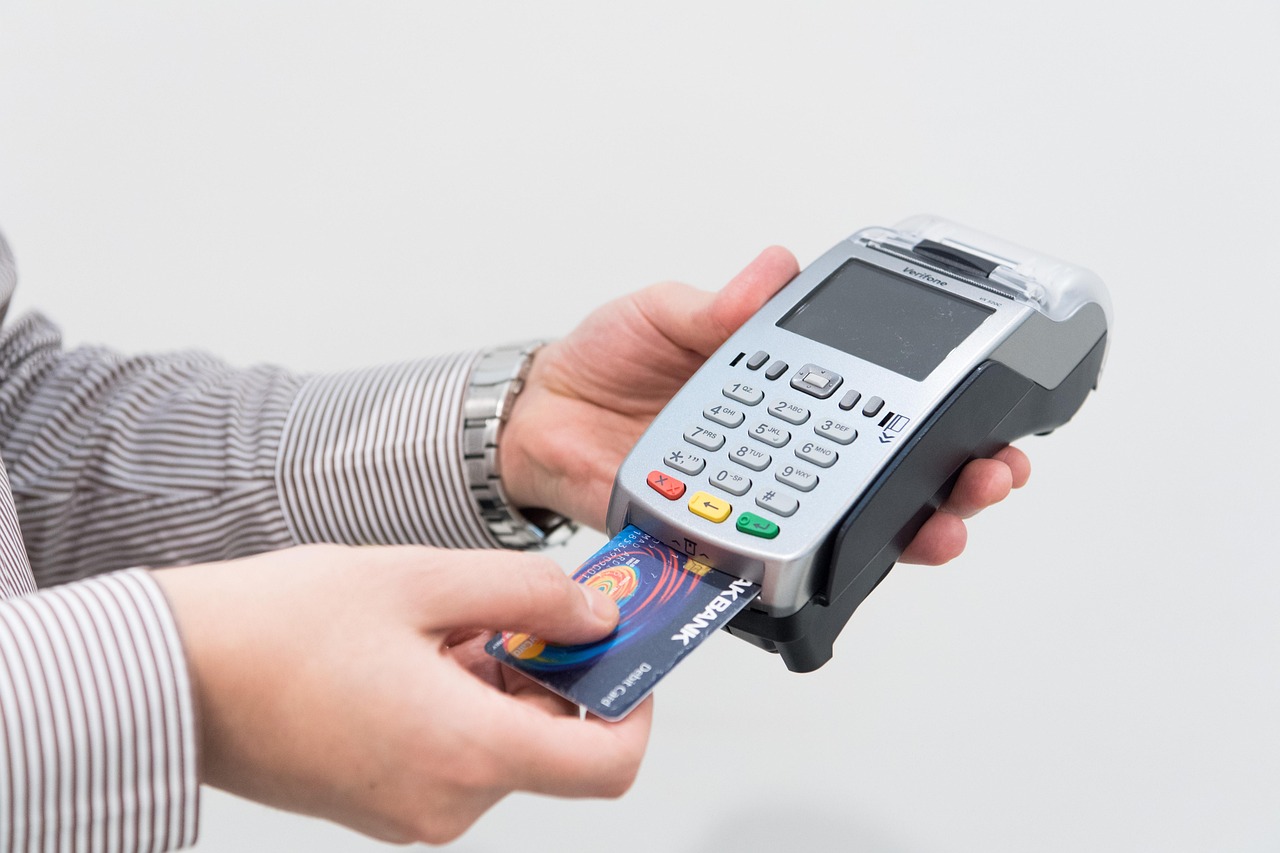
A modern EPOS system with integrated stock management does far more than process transactions — it gives retailers and hospitality operators a live, accurate picture of exactly what they hold, what's selling, and what needs reordering, all from a single platform. For UK businesses facing tighter margins, growing online competition, and increasingly demanding customers, that visibility is no longer a luxury: it is a core operational requirement. This guide explains what to look for, how the technology works in practice, and how to choose the right solution for your business size and sector.
What Is an EPOS System with Stock Management and Why Does It Matter?
An EPOS (Electronic Point of Sale) system with built-in stock management combines a retail or hospitality till with software that automatically updates inventory levels every time a sale, refund, or goods-in event is recorded. Rather than relying on periodic manual counts or separate spreadsheets, the system maintains a running tally of every SKU, variant, and ingredient in real time.
The practical impact is significant. Businesses that operate with accurate, live stock data consistently make better purchasing decisions, catch discrepancies faster, and avoid the twin costs of running out of bestsellers or tying up cash in slow-moving stock. For hospitality operators, ingredient-level tracking also reduces food waste — a meaningful cost saving even for a single-site café or restaurant.
If you are weighing up your options and want to explore more offers and information, the EPOS Direct UK home page is a useful starting point before reading on.

Key Stock Management Features to Look for
Not all EPOS stock management modules are created equal. When evaluating any system, the following capabilities should be non-negotiable or clearly on your shortlist of priorities.
Real-Time Stock Deduction
Every sale should immediately reduce stock levels without any manual intervention. This sounds basic, but some entry-level systems only update inventory overnight or via a manual sync — a critical weakness for busy retail environments.
Variant and Matrix Management
If you sell clothing, footwear, accessories, or any product with size, colour, or format options, your EPOS must handle product matrices cleanly. Each variant should carry its own stock level, barcode, and reorder point rather than being lumped into a single parent product.
Supplier Management and Purchase Orders
A strong system lets you raise, send, and receive purchase orders directly within the EPOS, automatically reconciling delivered quantities against expected stock. This closes the loop between ordering and receiving, making it much harder for discrepancies to go unnoticed.
Low-Stock Alerts and Automatic Reorder Points
The system should allow you to set a reorder point per product — the quantity at which an alert is triggered or a draft purchase order is created. Alerts can be sent via the dashboard, email, or mobile notification depending on the platform.
Waste, Write-Off, and Shrinkage Recording
Stock doesn't only leave via the till. Write-offs, spoilage, staff meals, and theft all need to be logged against specific stock movements, so your book stock accurately reflects physical reality. A good EPOS makes this quick and auditable.
Reporting and Analytics
Look for stock valuation reports, margin analysis by product, days-of-stock-remaining calculations, and dead-stock identification. These reports should be available in real time, not just at period end.
For a deeper look at how stock management connects with payment functionality, the guide to EPOS systems with integrated card payments in the UK covers how tightly coupled payment and inventory data produces the cleanest financial picture.
How Real-Time Inventory Tracking Reduces Shrinkage and Overstock
Shrinkage — the gap between book stock and physical stock — costs UK retailers billions of pounds annually, according to industry body estimates. Real-time tracking attacks shrinkage from two directions: it makes unexplained discrepancies visible immediately, and it creates an audit trail that deters opportunistic theft.
When every transaction is logged against a specific till, operator, time, and product, managers can identify patterns quickly. An item that consistently disappears on a specific shift, or a product line that shows regular over-voids, becomes apparent within days rather than at a quarterly stocktake.
Overstock is a subtler but equally damaging problem. Cash locked in slow-moving inventory is cash that cannot be reinvested. An EPOS with accurate sales velocity data — how quickly each line actually sells — enables buying decisions based on evidence rather than intuition. Over time, this typically narrows the gap between what a business orders and what it genuinely needs.
Cloud-Based vs On-Premise EPOS: Which Is Better for Stock Control?
This is one of the most common questions buyers raise, and the honest answer depends on your operational context. The table below sets out the practical differences for stock management specifically.
| Consideration | Cloud-Based EPOS | On-Premise EPOS |
|---|---|---|
| Stock visibility across sites | Instant, centralised — all sites share one live database | Requires scheduled sync; real-time multi-site is limited |
| Remote management | Full access from any device with a browser | Typically requires VPN or on-site access |
| Offline trading capability | Most modern cloud systems trade offline and sync on reconnect | Fully functional offline as standard |
| Software updates | Automatic, included in subscription | Manual updates; may involve additional cost |
| Upfront cost | Lower — hardware plus monthly subscription | Higher — perpetual software licence plus hardware |
| Data ownership and security | Hosted with provider; check GDPR and data residency | Data held locally; operator has full control |
| Best suited for | Multi-site retailers, growing businesses, remote owners | Single sites with limited internet reliability |
For the majority of UK retailers and hospitality operators today, cloud-based systems offer a decisive advantage for stock management — particularly the ability to view and adjust stock remotely and to scale to additional sites without significant IT investment. To understand the cost implications of each model in more depth, the article on monthly EPOS subscription versus outright purchase provides a practical financial comparison.
Managing Stock Across Multiple Sites or Outlets
For businesses with more than one location — whether a chain of retail shops, a group of restaurants, or a franchise — centralised stock management is where a good EPOS system truly earns its place.
Central Product Catalogue
A well-designed multi-site EPOS maintains one master product library that all outlets draw from. Adding a new product, updating a price, or changing a supplier code happens once at head office and propagates immediately to every till in the network.
Stock Transfers Between Sites
The system should allow inter-branch stock transfers to be raised, approved, and received within the platform, with full audit trails. This is essential for businesses that balance stock between locations to avoid localised shortages.
Site-Level and Consolidated Reporting
Managers at each site need their own stock view; directors and owners need a consolidated picture. A capable multi-site EPOS supports both simultaneously, with role-based access controlling what each user can see and do.
Businesses with mobile or flexible retail setups — markets, pop-ups, or roaming hospitality — should also consider how wireless payment hardware integrates with stock management. The guide to wireless card machines for small businesses in the UK is a useful companion read on this point.
What to Expect When Setting Up and Onboarding a New EPOS System
A common concern among buyers is the disruption involved in switching systems. Handled well, onboarding a new EPOS with stock management is a structured, phased process — not an overnight scramble.
- Data preparation: Export and clean your existing product list. This is typically the most time-consuming step. Poor data in means poor data out — duplicates, inconsistent descriptions, and missing barcodes will cause problems downstream.
- System configuration: Your EPOS provider should help you map your product categories, set up supplier records, define reorder points, and configure user roles before go-live.
- Staff training: Focus training on the daily workflows your team will use — processing sales, logging waste, receiving deliveries, and running the reports their manager needs. Most staff require no more than a few hours of hands-on practice.
- Initial stocktake: A clean opening stocktake is essential. It establishes the baseline from which the system tracks all subsequent movements.
- Go-live and hypercare period: Most reputable providers offer dedicated support in the days immediately following go-live, when questions and edge cases are most likely to arise.
If you would like to see how the software handles stock management before committing, you can request a retail EPOS software demo directly from EPOS Direct, or explore a restaurant EPOS software demo if you operate in hospitality. Pharmacy operators can access a dedicated pharmacy EPOS software demo tailored to dispensary stock requirements.
What Does an EPOS System with Stock Management Cost in the UK?
Pricing varies considerably based on the number of tills, the complexity of your stock requirements, and whether you opt for a subscription or outright purchase model. The following ranges are indicative of the UK market and should be treated as starting points for budgeting conversations rather than fixed quotes.
- Single-site retail or hospitality (1–2 tills): Software subscriptions typically start from around £30–£80 per month, per terminal, depending on the feature tier. Hardware bundles — touchscreen terminal, receipt printer, card reader, and cash drawer — generally fall in the range of £600–£1,500 upfront for a complete setup.
- Growing independents (3–5 tills, multi-department): Expect monthly software costs in the region of £100–£300 per month across the estate, with hardware scaled accordingly. Supplier integrations or bespoke reporting modules may add to this.
- Multi-site operators: Enterprise or multi-site agreements are typically priced on application and negotiated based on the number of sites, tills, and required integrations. These often include dedicated account management and onboarding support.
Many UK operators find that the reduction in over-ordering alone offsets a significant portion of the monthly software cost within the first year — though results will naturally vary by sector and business size. For small businesses evaluating total cost of ownership, the practical buyer's guide to till systems for small businesses covers the full cost picture in accessible detail.
Choosing the Right System for Your Business Size and Sector
There is no single best EPOS for every business. The right choice depends on the nature of your stock, the complexity of your operation, and the specific workflows your team needs to follow every day.
- Independent retailers: Prioritise ease of use, strong barcode scanning, and clean variant management. A system that your staff can learn in a morning is often more valuable than one with features you will never use.
- Fashion and clothing boutiques: Matrix inventory (size/colour grids) and integration with online selling channels are essential. Look for EPOS platforms that sync stock levels with Shopify, WooCommerce, or similar.
- Restaurants, cafés, and bars: Ingredient-level stock tracking and recipe management matter as much as front-of-house speed. A dedicated hospitality EPOS solution will handle covers, modifiers, and waste logging in ways a generic retail system will not.
- Pharmacies: Stock management intersects with dispensary compliance requirements. Specialist pharmacy EPOS platforms handle prescription workflows, NHS integrations, and controlled drug logging in ways that general retail systems cannot.
- Multi-site or franchise operators: Central management, role-based access, and consolidated reporting are the priority. Cloud architecture is almost always the right call at this scale.
Conclusion
An EPOS system with well-integrated stock management transforms inventory from a guessing game into a precise, auditable, and genuinely useful business asset. Whether you are running a single shop or a growing multi-site estate, the right system pays for itself through better purchasing decisions, reduced shrinkage, and the time your team gets back from manual counting and reconciliation.
EPOS Direct UK works with retailers, hospitality operators, and specialist businesses across the United Kingdom to configure and support EPOS and stock management solutions that fit real operational needs. To see the platform in action, request a free demo, explore our retail EPOS offers, or talk to an expert online — we are here to help you find the right fit, not just the right spec sheet.
Written by the EPOS Direct UK team, who work with UK retailers, restaurateurs, and independent operators every day to design, supply, and support EPOS and stock management solutions across the United Kingdom.
Frequently asked questions
- How much does a retail EPOS system with inventory tracking typically cost in the UK?
- Costs vary by business size and feature set. For a single-site UK retailer, entry-level EPOS packages with stock management start from around £300–£600 for hardware, plus a monthly software fee of £20–£60. Mid-range systems suited to growing independents typically run £500–£1,200 upfront with software between £40–£100 per month. Multi-site or enterprise setups can cost more. EPOS Direct UK offers tailored quotes, so it is worth speaking to the team to get a price matched to your exact requirements.
- Can an EPOS system automatically reorder stock when levels run low?
- Yes. Most modern EPOS systems, including those from EPOS Direct UK, allow you to set minimum stock thresholds per product. When inventory drops to that level the system generates a low-stock alert or a purchase order automatically, which can then be sent directly to your supplier. This eliminates manual stock checks and reduces the risk of selling out of popular lines.
- Will the stock management work across more than one shop or location?
- Absolutely. Cloud-based EPOS platforms synchronise inventory across all your outlets in real time, so you can view stock levels, transfer products between locations and run consolidated reports from a single dashboard. This is particularly valuable for UK retailers operating two or more sites who want a unified picture of their entire business without switching between separate systems.
