We use cookies to make your experience better.
To comply with the new e-Privacy directive, you agree to the privacy policy and our use of cookies

The Best Till Systems for Small Shops: A UK Buyer's Guide
The Best Till Systems for Small Shops: A UK Buyer's Guide
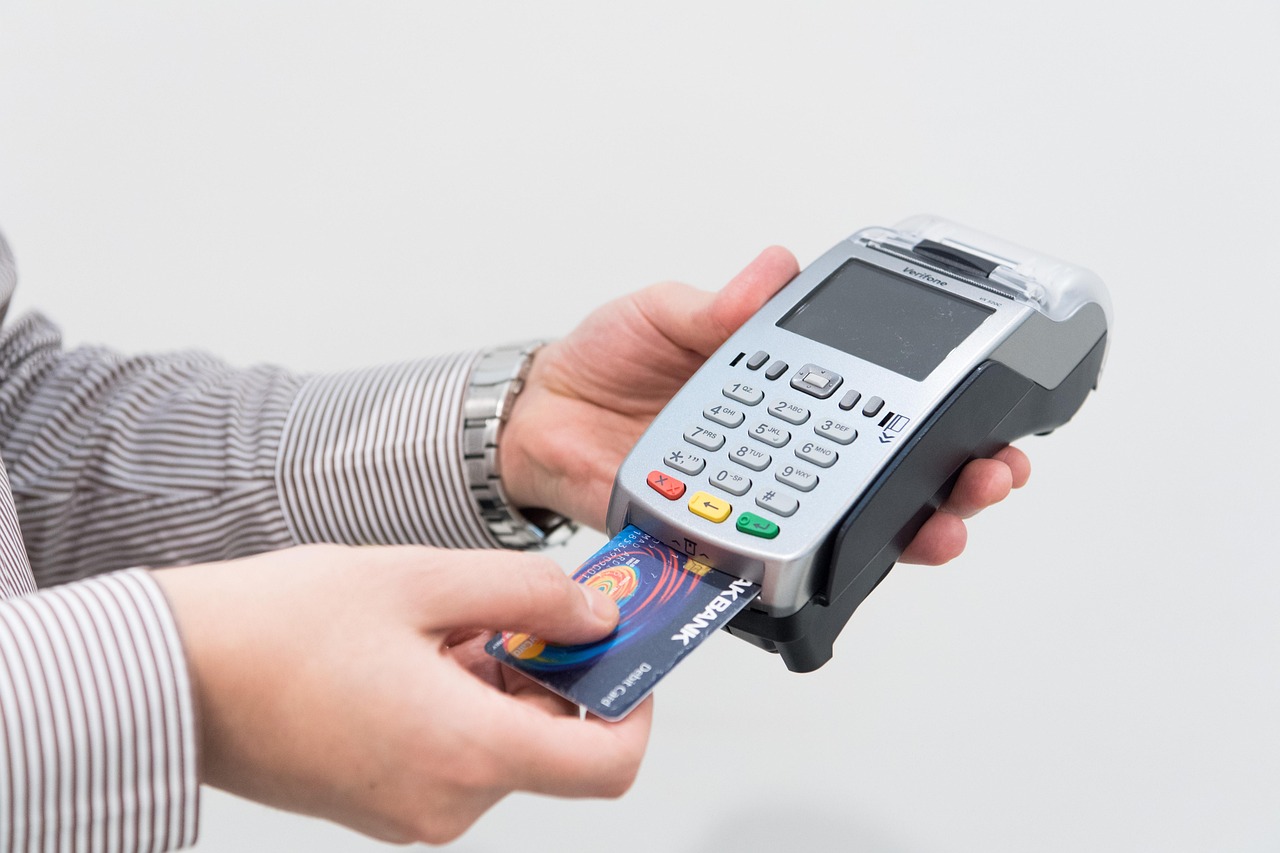
For independent retailers across the UK, choosing the right till system is one of the most consequential operational decisions you will make. The right setup accelerates transactions, keeps stock accurate and gives you the reporting clarity to make better buying decisions — the wrong one creates daily friction and hidden costs. This guide cuts through the noise to help you identify exactly what matters, what to spend, and which type of system will serve a small shop best.
Written by the EPOS Direct UK team, who work with independent retailers, convenience stores, boutiques and specialist shops across the United Kingdom every day.
What Should a Small Shop Look for in a Till System?
Before comparing hardware or pricing plans, it pays to define what your shop actually needs. A pharmacy has fundamentally different requirements to a gift boutique or a convenience store — yet certain core criteria apply universally to small retail environments.
The non-negotiables
- Speed at the point of sale: Queues cost you customers. Your till should complete a transaction — scan, payment, receipt — without hesitation.
- Stock management: Even a modest shop carries hundreds of SKUs. A system that tracks stock in real time prevents costly over-ordering and embarrassing stockouts.
- Integrated card payments: Separate card terminals that do not talk to your till create reconciliation headaches. Integration removes the gap. Our dedicated guide to card machine and till system combined explains the tangible benefits in full.
- Ease of training: Staff turnover is a reality in retail. Your till interface should take minutes to learn, not days.
- Reliable support: A till that goes down on a Saturday afternoon is a crisis. UK-based support, available when you trade, is not a luxury.
Questions worth asking before you buy
A real buyer typically asks: "Will this work if my broadband drops?" — a fair concern. The best systems cache transactions offline and sync when connectivity returns, so sales are never lost. Equally important: "Can I manage it remotely without being on site?" — a cloud-based EPOS lets you check today's takings, amend a price or run a report from your phone at home.

Types of Till Systems Available for Small Retailers
The market broadly divides into three categories. Understanding the distinction saves you from buying more (or less) than your shop genuinely requires.
1. Traditional cash registers
Mechanical or basic electronic cash registers record transactions and open a cash drawer — nothing more. They carry no stock intelligence, produce no actionable reports and cannot integrate with a card terminal. For a shop doing meaningful volume in 2025, they represent a ceiling, not a foundation. If you are currently using one, our practical guide on how to switch from a cash register to a modern EPOS system walks through the process step by step.
2. Tablet-based EPOS systems
An iPad or Android tablet running purpose-built EPOS software, paired with a card reader, receipt printer and barcode scanner. Compact, affordable to start and genuinely capable — this is the dominant choice for boutiques, deli counters and independent gift shops where counter space is limited and aesthetics matter.
3. Dedicated EPOS terminals
Purpose-built touchscreen units with integrated hardware — faster, more durable and built for high-volume retail. Typically paired with customer-facing displays, integrated scales and full peripheral sets. The right choice for busy convenience stores, pharmacies or any shop processing a high number of transactions per hour. You can explore the full range of systems and current offers at EPOS Direct UK to see what dedicated hardware looks like in practice.
Key Features That Make the Biggest Difference Day-to-Day
Marketing language inflates every feature list. Below are the capabilities that genuinely move the needle in a small shop environment.
- Barcode scanning with auto-lookup: Eliminates manual price entry errors and speeds the queue measurably.
- Low-stock alerts: Automated notifications when a product drops below a threshold you set — so reordering becomes proactive rather than reactive.
- Promotions and discount management: Multi-buy offers, percentage discounts and time-limited deals applied automatically at the till, without relying on staff memory.
- End-of-day reporting: A clear, reliable Z-report that reconciles cash, card and refund totals — essential for bookkeeping and VAT purposes.
- Customer loyalty: Even a simple points-card integration increases average basket value and return visit frequency for independent retailers.
- Multi-location capability: If you have ambitions to open a second site, choose a system that handles multiple locations from a single back-office dashboard from day one.
For a deeper look at integrated payment capability specifically, our guide to the best EPOS systems with integrated card payments in the UK is worth reading alongside this one.
How Much Does a Till System Cost for a Small Shop in the UK?
Pricing varies significantly depending on hardware quality, software tier and whether you buy outright or subscribe monthly. The figures below are honest indicative ranges drawn from the current UK market — not precise quotes. For an accurate quote for your specific shop, request a call back from our team.
| Setup Type | Typical Upfront Hardware Cost | Typical Monthly Software Fee | Best For |
|---|---|---|---|
| Tablet + card reader (entry) | From approximately £300–£600 | From approximately £20–£40/month | Micro-retailers, market stalls, pop-ups |
| Tablet EPOS with full peripherals | From approximately £700–£1,200 | From approximately £40–£80/month | Boutiques, gift shops, small delis |
| Dedicated EPOS terminal (mid-range) | From approximately £1,200–£2,000 | From approximately £50–£100/month | Convenience stores, pharmacies, busy independents |
| Full retail EPOS suite (multi-till) | From approximately £2,500+ | From approximately £80–£150/month | Larger independents, multi-station setups |
Many suppliers — including EPOS Direct UK — offer monthly subscription plans that bundle hardware, software and support, reducing the upfront barrier considerably. Our guide comparing monthly EPOS subscription versus outright purchase helps you model which approach makes financial sense for your trading pattern.
Bear in mind: card processing rates are separate from EPOS software fees and vary by payment provider. Always compare the total cost of ownership — hardware, software, card fees and support — rather than headline hardware price alone.
Cloud-Based vs Traditional EPOS: Which Is Right for You?
This is one of the most common decision points for small retailers, and the answer depends on your priorities.
Cloud-based EPOS
- Data lives securely online — accessible from any device, anywhere
- Software updates happen automatically, with no manual intervention
- Lower upfront cost; typically subscription-priced
- Requires a reliable internet connection (offline mode is available on quality systems but varies by provider)
- Scales easily if you open additional locations or add an online store
On-premise (server-based) EPOS
- Data stored locally — no dependency on internet for core operations
- Higher upfront cost; typically purchased outright
- Updates require manual installation; support visits may be needed
- Suits environments with genuinely poor connectivity or specific data-sovereignty requirements
For the vast majority of small shops in the UK today, a cloud-based system with offline failover delivers the best combination of flexibility, cost and resilience. If you would like to see the software in action before committing, book a retail EPOS software demo with our team — it takes under 30 minutes and answers most practical questions immediately.
Retail EPOS Systems Compared: What to Weigh Up
Rather than comparing specific competitor products (pricing and feature sets change rapidly and should always be verified directly), the most useful comparison for a small shop buyer is to evaluate solution tiers against what actually matters. Use the framework below when assessing any system — including ours.
| Evaluation Criterion | Why It Matters | What to Look For |
|---|---|---|
| Stock management depth | Prevents over-buying and stockouts | Real-time stock tracking, low-stock alerts, purchase order generation |
| Payment integration | Eliminates reconciliation errors | Native card terminal integration, contactless, Apple Pay, Google Pay |
| Reporting quality | Informs buying and staffing decisions | Sales by product, category, time-of-day; exportable for accountants |
| Offline reliability | Ensures trading continuity | Confirmed offline mode with automatic sync on reconnection |
| Onboarding and training | Reduces downtime on switchover | Dedicated setup support, video training, importable product catalogue |
| UK-based support | Problems solved in your trading hours | Phone and chat support during retail hours, response time guarantees |
| Growth capability | Protects your investment long-term | Multi-site, e-commerce integration, loyalty, staff management modules |
For a side-by-side look at how EPOS Direct UK compares against other providers on these dimensions, our detailed competitor till system comparison guide is a useful next step.
How to Get Set Up Quickly Without the Hassle
One of the most common anxieties among small shop owners considering a system upgrade is disruption — the fear that migrating to a new till will cost days of downtime and staff confusion. In practice, a well-managed EPOS deployment for a single-site small shop takes a matter of hours, not days, provided you follow a sensible sequence.
- Audit your product catalogue first: Export your existing product list (even from a spreadsheet) before migration day. A quality EPOS provider will import it for you, saving hours of manual entry.
- Choose your hardware configuration early: Confirm whether you need a customer display, integrated scales, a label printer or a second till position — lead times on specific hardware can vary.
- Train staff before go-live: Most modern EPOS systems offer sandbox or demo modes. Let your team practise on real scenarios — refunds, discounts, split payments — before the first real customer.
- Run parallel briefly if needed: For shops with complex stock, running the old and new system simultaneously for one or two trading days gives confidence without risk.
- Verify your end-of-day reports on day one: Check that your Z-report totals match your card terminal receipts and cash count. This validates the integration is working correctly before you rely on it fully.
If your shop has specific sector requirements — such as a pharmacy with PMR considerations — book a pharmacy EPOS software demo to see how the system handles those workflows in practice.
Retailers who would like guided advice before making any commitment can talk to an expert online — no obligation, no pressure, just practical guidance from someone who understands the UK retail environment.
The Short Answer: Which Type of System Works Best for a Small Shop?
For most independent UK retailers, a cloud-based EPOS system with integrated card payments, real-time stock management and UK-based support represents the strongest all-round choice. It keeps upfront costs manageable, grows with your business and gives you the reporting visibility that a cash register simply cannot. The specific hardware tier — tablet-based or dedicated terminal — should be driven by your transaction volume and counter space, not by brand preference.
For further reading across related buying decisions, our broader guide to the best till systems for small businesses in the UK covers sole traders and service businesses alongside retail, and may surface considerations relevant to your specific model.
Ready to Find the Right System for Your Shop?
EPOS Direct UK supplies, installs and supports EPOS and point-of-sale systems for independent retailers, convenience stores, pharmacies, boutiques and specialist shops across the United Kingdom. Our team can help you identify the right hardware configuration, software tier and payment integration for your specific shop — without overselling complexity you do not need.
The clearest next step is to request a free demo or browse our current retail EPOS offers to see what is available at your budget. If you prefer to speak first, request a call back and one of our retail specialists will be in touch at a time that suits your schedule.
Frequently asked questions
- How much should I expect to pay for a till system for a small shop in the UK?
- For a single-till setup in the UK, you can expect to pay anywhere from £300 to £900 for entry-level hardware, with cloud-based EPOS software typically adding a monthly subscription of £15 to £50. All-in-one bundles from providers like EPOS Direct often start around £499 and include the touchscreen terminal, receipt printer, and barcode scanner, making them a cost-effective choice for most small retailers. Always check whether stock management, reporting, and payment integration are included or cost extra.
- Do I need an internet connection to run a till system in my shop?
- Most modern cloud-based EPOS systems require a broadband connection to sync data and access reporting in real time, but many are designed to work in offline mode during outages — processing sales locally and syncing once your connection is restored. If your shop has unreliable internet, look specifically for systems that advertise robust offline functionality so you are never left unable to take payments.
- Can a small shop till system handle card payments and cash at the same time?
- Yes — the majority of current EPOS till systems support integrated card payment terminals alongside a cash drawer, so you can accept chip and pin, contactless, and mobile wallet payments as well as cash from a single interface. Integrated card processing tends to reduce errors compared with using a separate standalone card machine, and many providers can arrange merchant services or integrate with major payment processors such as Worldpay, SumUp, or Stripe.
