We use cookies to make your experience better.
To comply with the new e-Privacy directive, you agree to the privacy policy and our use of cookies

How to Switch from a Cash Register to a Modern EPOS System: A UK Retailer's Guide
Upgrading from a Cash Register to an EPOS System: Everything UK Businesses Need to Know
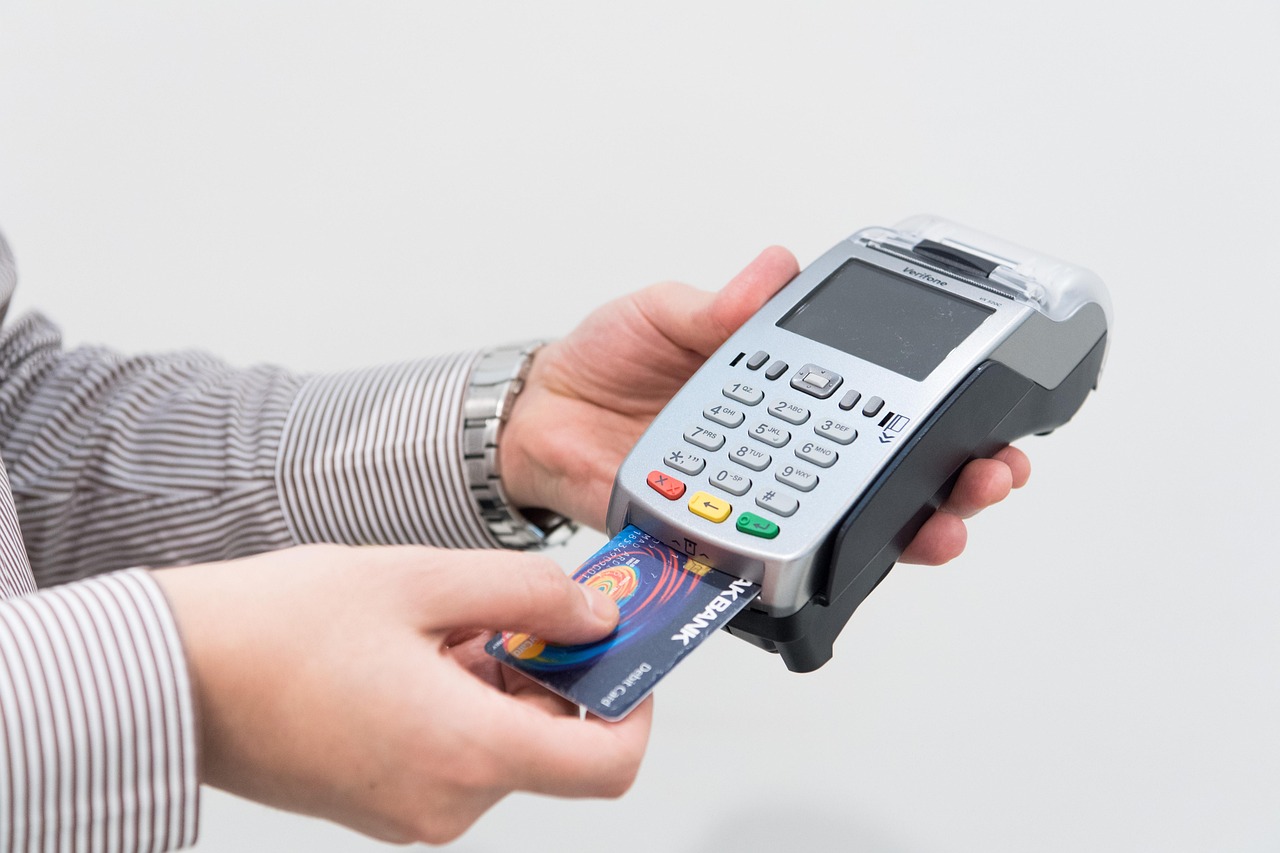
For most UK businesses, the moment you realise your cash register is holding you back rather than supporting your growth is the moment everything changes. A modern EPOS (Electronic Point of Sale) system replaces the limited functions of a traditional till with an integrated platform that handles sales, stock, staff, payments and reporting in one place — typically delivering a measurable return from the first week of use. Whether you run an independent shop, a café, a restaurant or a convenience store, this guide covers everything you need to make a confident, well-informed switch.
What Is the Difference Between a Cash Register and an EPOS System?
A traditional cash register does one thing: it records a sale and opens a drawer. That simplicity was once an advantage, but it has become a significant constraint as consumer expectations and business complexity have evolved.
An EPOS system, by contrast, is a connected technology platform. At its core it combines point-of-sale software running on a touchscreen terminal with peripheral hardware — a barcode scanner, receipt printer, cash drawer and card reader — and links all of that to a back-office management suite. Every transaction updates your stock levels in real time, contributes to daily sales reports and, in cloud-connected systems, syncs data across multiple sites or to your accountancy software.
| Feature | Cash Register | EPOS System |
|---|---|---|
| Sales recording | Manual, basic | Automatic, itemised, timestamped |
| Stock management | None | Real-time inventory tracking |
| Reporting | Z-reading totals only | Detailed sales, margin, staff and product reports |
| Card payments | Requires separate, unlinked terminal | Integrated or tightly paired card processing |
| Multi-site capability | None | Centralised management across locations |
| Software updates | Hardware replacement required | Remote updates included |
| Loyalty and promotions | Not supported | Built-in or integrations available |
| Making Tax Digital (MTD) readiness | Manual records required | Compatible with MTD-compliant accounting exports |
HMRC's Making Tax Digital initiative is progressively extending to more businesses; keeping records in a format that exports cleanly to compliant software is increasingly important. An EPOS system handles this automatically where a cash register leaves you relying on manual spreadsheets.

Signs Your Business Has Outgrown Its Cash Register
The pressure points tend to be predictable. If you recognise more than two or three of the following, an upgrade is likely overdue:
- You are counting stock manually — hours spent on stocktakes that an EPOS system would handle automatically overnight.
- Card and cash totals rarely reconcile cleanly — because your card machine is a separate, unlinked device with no shared data.
- You cannot answer basic business questions quickly — such as your ten best-selling products this month, or which day of the week generates the most revenue.
- Queues build at peak times — because product look-ups, price queries and payment processing are all slower than they should be.
- You are losing track of shrinkage — unexplained stock losses that better reporting and audit trails would expose.
- You want to run promotions or a loyalty scheme — but your till cannot support either.
- Customers expect contactless or mobile payments — and your setup cannot accommodate them reliably.
Even a single-site, single-operator business typically finds that the time saved on admin and the reduction in human error pays for an entry-level EPOS system within the first few months.
Key Benefits of Switching to an EPOS System for UK Retailers and Hospitality
The advantages split broadly into operational efficiency, revenue visibility and customer experience — three areas where a cash register offers almost nothing beyond basic transaction capture.
For retailers
- Automated reorder alerts prevent out-of-stock situations on your bestsellers.
- Barcode scanning at the point of sale eliminates manual price entry errors.
- Integrated card payments mean your end-of-day figures reconcile automatically — explore our guide to the best EPOS systems with integrated card payments in the UK for a detailed comparison of options.
- Promotional pricing — percentage discounts, buy-one-get-one, meal deals — can be configured once and applied consistently at every transaction.
For hospitality and food service
- Table management and course-by-course ordering reduce kitchen errors and improve the dining experience.
- Kitchen display systems (KDS) replace printed tickets, speeding up service and cutting paper waste.
- Split bills, service charges and allergen flagging are handled at the point of order, not apologetically at the point of payment.
- Real-time covers and revenue data help managers make informed staffing decisions during a shift.
If you serve both retail and hospitality customers — an off-licence with a tasting counter, for example — a specialist system may serve you better than a generic one. Our guide to the best till systems for off licences in the UK covers the nuances worth knowing before you decide.
What Does an EPOS System Include? Hardware, Software and Payment Options Explained
Understanding what you are actually buying helps you compare providers on a like-for-like basis. A complete EPOS setup typically comprises three layers:
Hardware
- Touchscreen terminal — the main till screen, available in various sizes from compact countertop units to large-format restaurant displays.
- Receipt printer — thermal printers are standard; some systems also support label printing for retail.
- Cash drawer — connects to the printer or terminal and opens automatically on cash transactions.
- Barcode scanner — handheld or built into the counter; essential for most retail environments.
- Card payment terminal — either integrated (communicating directly with the EPOS software) or paired via API.
- Customer-facing display — shows item totals to the customer during the transaction; increasingly standard in higher-end systems.
Software
EPOS software governs everything from the till screen layout to back-office analytics. Cloud-based software gives you access to reporting from any device, anywhere; on-premise software keeps data local, which some businesses prefer for resilience. Most modern systems offer a hybrid: cloud-synced with local fallback so the till keeps working if your broadband drops. You can explore our EPOS software and book a live demo relevant to your sector — retail, restaurant or pharmacy — before committing to anything.
Payment processing
Payment integration is one of the most commercially significant decisions you will make. A fully integrated card machine means you never have to key an amount in twice, your end-of-day reconciliation is automatic and your data is clean. Our guide to card machines and till systems combined explains the different integration models in detail, while our comparison of the best wireless card machines for small businesses covers portable options for table-side or queue-busting payment.
How Much Does It Cost to Upgrade to an EPOS System in the UK?
Cost is the question most business owners ask first, and the honest answer is that it varies considerably depending on how many terminals you need, the complexity of your software requirements and whether you buy outright or subscribe monthly. The figures below are indicative ranges for the UK market and should be treated as a starting point for budgeting rather than quotes.
| Setup type | Indicative hardware cost | Indicative software cost | Best suited to |
|---|---|---|---|
| Entry-level single terminal | Typically from £300–£600 | From around £20–£50 per month | Market traders, kiosks, start-ups |
| Mid-range single-site retail or café | Typically £600–£1,500 | From around £40–£80 per month | Independent shops, coffee shops, small restaurants |
| Multi-terminal hospitality or retail | Typically £1,500–£4,000+ | From around £80–£150+ per month | Restaurants, bars, multi-department retailers |
| Multi-site or enterprise | Priced per project | Custom pricing | Chains, franchises, large independents |
Some providers bundle hardware into a monthly subscription; others sell hardware outright and charge separately for software licences. Neither model is universally better — it depends on your cash position and how long you plan to use the system. Our detailed breakdown of monthly EPOS subscriptions versus outright purchase walks through the total cost of ownership under each model so you can make the comparison properly.
Payment processing fees are separate and typically charged as a percentage of card turnover plus a pence-per-transaction rate. If keeping monthly fixed costs to a minimum is a priority, our guide to card machines with no monthly fee covers providers that charge only on transactions.
Step-by-Step: How to Switch from a Cash Register to an EPOS System Without Disrupting Trade
A well-planned migration causes minimal disruption; a poorly planned one can mean an uncomfortable first week of trading. Follow this sequence and you will avoid the most common pitfalls.
- Audit your current setup. Document every product you sell, its price and (if you track it) its current stock level. This becomes your initial product database — the cleaner it is going in, the smoother the system performs from day one.
- Choose your system before your go-live date. Allow at least two to four weeks between selecting a provider and switching over. This gives time for hardware delivery, software configuration and staff training.
- Build your product library in the new system. Most EPOS providers accept a spreadsheet import. If you have hundreds or thousands of SKUs, request migration support — reputable suppliers offer this as standard.
- Configure your settings. Set up tax rates, departments, payment types, receipt branding, any loyalty scheme and promotions before you go live. Test every scenario you encounter in a typical trading day.
- Train your team. A touchscreen EPOS is generally faster to learn than a physical button till, but allocate at least one training session with real transactions before the live date. Many providers offer video resources and remote support.
- Choose a quiet day for go-live. If your quietest trading day is a Tuesday morning, that is your go-live date — not a Friday afternoon.
- Keep your cash register accessible for the first week. Not because you will need it, but because the confidence of having a fallback removes stress from your team as they settle into the new system.
- Review your first week's reports. One of the genuine pleasures of switching is seeing clean, detailed sales data for the first time. Use it immediately — identify your top sellers, spot any pricing errors and check your stock reconciliation.
If you would prefer to talk through migration planning before committing, you can talk to an expert online at EPOS Direct UK — no obligation, no sales pressure, just practical guidance from people who do this every day.
How to Choose the Right EPOS System for Your UK Business
The right system is the one that fits your sector, your scale and your ambitions — not simply the cheapest or the most feature-rich. Here are the criteria that matter most:
Sector fit
Retail and hospitality have genuinely different requirements. A restaurant system needs table mapping, course management and kitchen output; a retail system needs granular stock control, supplier management and label printing. Do not accept a generic system and assume you can work around the gaps — you will be working around them every day.
Scalability
Buy for where you want to be in three years, not just where you are today. Adding a second site or a second terminal should be straightforward and proportionately priced, not a major project.
Support and reliability
Your EPOS system is your primary trading infrastructure. A provider whose support team is unreachable on a Saturday afternoon is not a suitable partner for a retail or hospitality business. Ask specifically about support hours, response times and what happens if your terminal fails — is a replacement dispatched, or do you wait for a repair?
Integration ecosystem
Does the system connect to your accounting software (Xero, Sage, QuickBooks)? Does it support online ordering platforms if you plan to add one? Can it push data to your e-commerce store? Integration capability affects your workload significantly over time.
Total cost of ownership
Compare the full five-year cost of each shortlisted option: hardware, software, payment processing, support and any setup fees. A cheaper monthly subscription may carry higher transaction fees that cost more overall at your volume.
Our practical buyer's guide to the best till systems for small businesses in the UK is a useful companion if you are comparing options across multiple providers, and you can browse EPOS Direct UK's full range of offers and current deals to see what is available now.
When you are ready to see the software in action, a retail EPOS software demo or a restaurant EPOS software demo takes less than thirty minutes and gives you a far clearer picture than any specification sheet.
Ready to Make the Switch?
Moving from a cash register to a fully featured EPOS system is one of the most impactful operational upgrades a UK independent business can make. The reporting clarity, time savings, payment integration and stock control you gain typically deliver a return far faster than most business owners expect. The key is choosing a system built for your sector, with a provider who offers genuine support after the sale — not just during it.
EPOS Direct UK works with independent retailers, hospitality businesses and specialist operators across the UK every day. To explore current packages, view our retail EPOS offers or browse our hospitality and restaurant EPOS offers — or request a free demo and let us show you exactly what the right system can do for your business.
Written by the EPOS Direct UK team, who support UK retailers, hospitality operators and specialist businesses with EPOS and payment solutions every day. For tailored advice, request a call back and speak directly with a specialist.
Frequently asked questions
- How much does it cost to replace a cash register with an EPOS system in the UK?
- Costs vary depending on your business size and requirements. A basic single-terminal EPOS setup in the UK typically starts from around £300 to £600 for entry-level hardware, while a full system including touchscreen till, receipt printer, barcode scanner and card reader can range from £800 to £1,500+. Monthly software subscriptions usually add £20 to £80 per month. Many providers, including EPOS Direct UK, offer flexible finance and leasing options to spread the cost, making it accessible even for small independent businesses.
- Will I lose my sales data when I switch from my old cash register to a new EPOS system?
- You won't lose historical sales data from your old cash register, but most traditional cash registers store very little structured data that can be exported. Going forward, your new EPOS system will capture detailed sales, stock and customer data automatically. EPOS Direct UK can help you set up your product catalogue, pricing and staff accounts before go-live so the transition is seamless.
- How long does it take to set up an EPOS system and train staff to use it?
- Most EPOS systems can be physically set up and configured within a few hours. Staff training on a modern touchscreen EPOS is typically straightforward — most teams are comfortable with basic operations within a single shift. EPOS Direct UK provides on-site installation, remote support and training resources to make sure your team is confident from day one.
