We use cookies to make your experience better.
To comply with the new e-Privacy directive, you agree to the privacy policy and our use of cookies


Best Touch Screen Tills for Retail Shops: A Complete Buyer's Guide
Touch Screen Tills for Retail: Everything UK Shop Owners Need to Know Before Buying
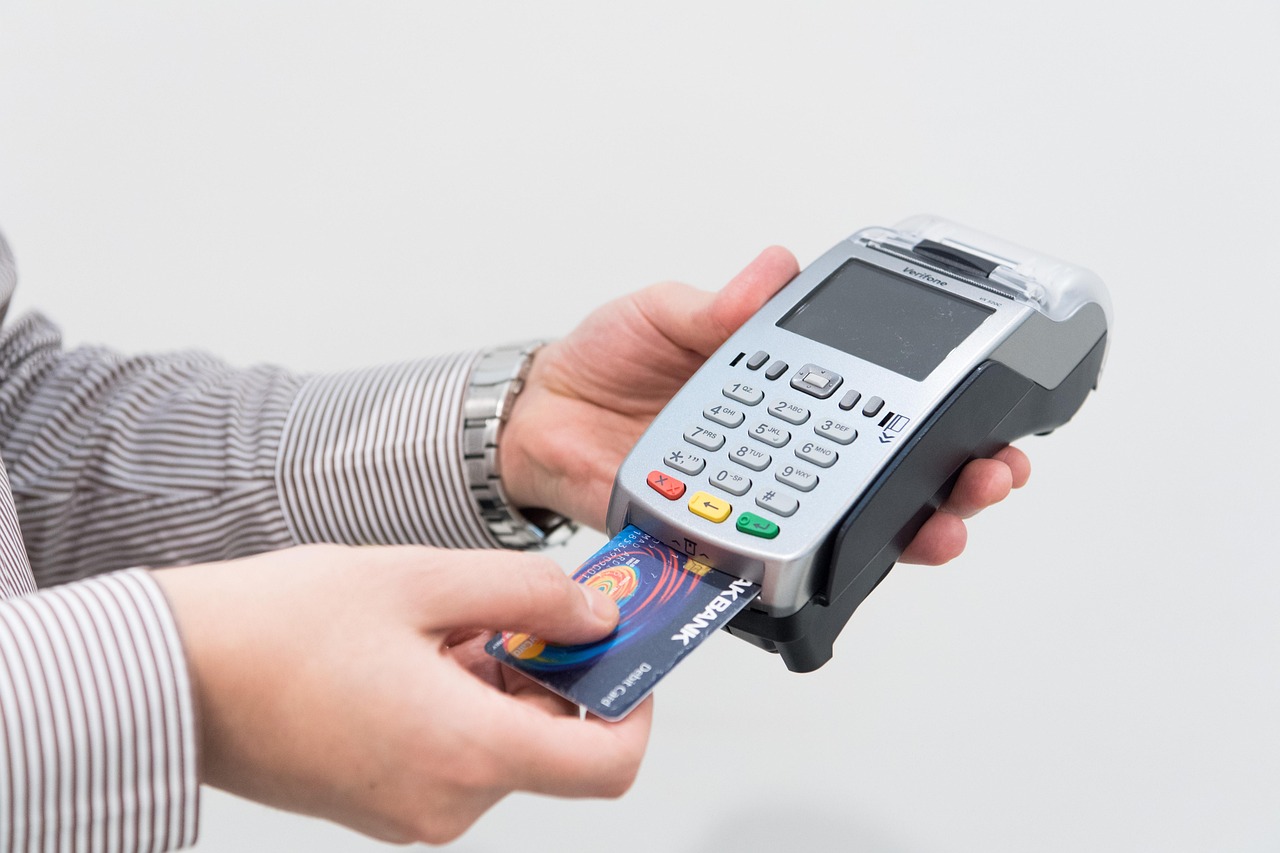
A touch screen till is no longer a luxury reserved for large retail chains — it is the operational backbone of modern independent shops, boutiques, pharmacies and convenience stores across the UK. The right system combines intuitive point-of-sale hardware with powerful software to speed up transactions, tighten stock control and give you the real-time data you need to run a more profitable business. This guide covers everything a UK retailer genuinely needs to evaluate, compare and confidently invest in a touch screen till system.
What Is a Touch Screen Till and Why Does Your Retail Shop Need One?
A touch screen till — also called a retail EPOS terminal — is an all-in-one point-of-sale unit built around a responsive touchscreen display running specialist retail software. Unlike legacy cash registers, these systems process transactions, manage product catalogues, track stock levels, generate sales reports and integrate with card payment terminals, all from a single interface.
For UK shop owners, the practical case is straightforward: faster service means shorter queues, accurate stock data means fewer lost sales from out-of-stock lines, and integrated card payments reduce end-of-day reconciliation errors. Whether you run a single independent shop or a small chain, an EPOS till gives you the kind of operational visibility that used to require a back-office accountant.
Signs your current setup is holding you back
- You manually count stock at closing time rather than seeing live figures on a dashboard
- Card and cash totals rarely reconcile without investigation
- You cannot quickly identify your top-selling products or busiest trading hours
- Issuing refunds, applying discounts or processing loyalty rewards takes multiple steps
- Your till cannot connect to an online shop or a second branch
If more than two of these feel familiar, upgrading to a modern touch screen till will deliver a measurable return.

Key Features to Look for in a Retail Touch Screen Till System
Not every EPOS terminal is built with retail in mind. Hospitality-focused systems, for example, prioritise table management and kitchen printing over barcode scanning and multi-location stock. Before shortlisting hardware, confirm the software handles these retail essentials:
Must-have retail software features
- Barcode scanning support — seamless integration with 1D and 2D scanners for fast, accurate product lookup
- Variant and matrix stock management — handle clothing sizes, colours and multi-pack units without creating duplicate product records
- Real-time inventory tracking — stock levels update automatically on every sale, return or delivery receipt
- Customer accounts and loyalty — store purchase history, apply loyalty points and issue targeted promotions
- Supplier and purchase order management — raise and receive orders directly within the system
- Detailed sales reporting — by product, category, time period, staff member or payment type
- Multi-site and head-office control — manage pricing and stock across branches from one dashboard
- Integrated card payments — direct connection to your card terminal removes double-keying and speeds up reconciliation
Hardware specifications worth checking
- Screen size (typically 10–15 inches for a retail counter) and brightness for well-lit environments
- Ports for barcode scanner, receipt printer and cash drawer
- Customer-facing display option for price transparency
- Fanless or low-noise design for quiet boutique environments
- Robust build quality rated for all-day continuous use
If you are also evaluating payment hardware, our guide to EPOS systems with integrated card payments in the UK covers the key questions around card reader compatibility and transaction fees in depth.
How Much Does a Touch Screen Till Cost in the UK?
Cost is almost always the first question — and the honest answer is that it depends significantly on whether you buy hardware outright, lease it, or take a subscription bundle. Below are realistic indicative ranges for the UK market, presented as guidance only; your exact investment will depend on configuration, software tier and any ongoing support contract.
| Setup Type | Typical Hardware Cost | Typical Monthly Software Fee | Best For |
|---|---|---|---|
| Entry-level single till (tablet-based) | Typically from £300–£600 outright | From around £20–£50/month | Market traders, pop-ups, very small shops |
| Mid-range standalone EPOS terminal | Typically from £600–£1,200 outright | From around £40–£80/month | Independent retailers, boutiques, convenience stores |
| Full retail EPOS bundle (till, scanner, printer, cash drawer) | Typically from £1,000–£2,000 outright | From around £50–£120/month | Established shops needing a complete out-of-the-box solution |
| Multi-terminal retail system (two or more tills) | From around £1,800+ outright | From around £80–£200+/month | Busy shops, small chains, department-style retail |
All figures above are indicative and based on typical UK market pricing at the time of writing; always request a tailored quote. Leasing or finance options can reduce the upfront outlay significantly, and some providers bundle hardware, software and support into a single monthly fee. For a broader view of budget-conscious options, our round-up of the most affordable EPOS systems for small businesses in the UK is worth reading alongside this guide.
One cost area buyers often overlook: payment processing. If your card terminal charges a percentage per transaction, this compounds with every sale. Exploring card machines with no monthly fee can make a material difference to your running costs, particularly for lower-margin retail categories.
Cloud-Based vs. Traditional EPOS: Which Is Right for Your Retail Business?
The architecture of your EPOS software matters as much as the hardware sitting on your counter. Cloud-based systems store data remotely and are accessible from any internet-connected device; traditional (server-based) systems keep data on-site. Each has genuine advantages depending on how you trade.
| Consideration | Cloud-Based EPOS | Traditional/Server-Based EPOS |
|---|---|---|
| Upfront cost | Lower (subscription model) | Higher (licence + server hardware) |
| Remote access | Yes — manage your shop from anywhere | Limited without additional configuration |
| Offline functionality | Varies by provider; confirm carefully | Typically robust offline mode |
| Software updates | Automatic, included in subscription | Manual; may incur upgrade fees |
| Multi-site management | Excellent — single dashboard for all sites | Requires more complex integration |
| Data security | Reputable providers are PCI DSS compliant | Your responsibility to maintain |
For most independent UK retailers opening or upgrading a shop today, a cloud-based system offers the strongest combination of accessibility, low upfront cost and automatic feature updates. If your internet connection is unreliable, confirm that the software operates in offline mode and syncs data when connectivity is restored — this is a non-negotiable for busy trading days.
How to Set Up and Integrate Your New Till System with Payments and Stock
A smooth installation starts well before the hardware arrives. The steps below reflect the practical setup journey that most UK retailers go through, and following them in order will prevent the most common post-installation headaches.
- Audit and import your product catalogue — prepare a clean spreadsheet of SKUs, descriptions, prices, VAT rates, barcodes and current stock quantities before go-live day
- Configure VAT correctly — UK VAT rules vary by product type (food, clothing, books, etc.); set tax groups accurately from the outset and cross-reference with HMRC guidance
- Integrate your card terminal — confirm whether your payment provider uses a direct software integration or a separate physical pairing; integrated payments remove manual amount entry and produce a single transaction record
- Connect peripheral hardware — barcode scanners, receipt printers and cash drawers should be tested individually before your first live trading session
- Set user permissions — assign staff roles so that managers can process refunds and access reports while till operators have a streamlined transaction view
- Run a training session — even an intuitive touch screen till requires an hour of structured training to ensure staff are confident with exchanges, discounts and end-of-day Z-reports
- Schedule a post-launch review — after two to four weeks of live trading, review your stock accuracy, report data and any recurring till queries with your provider's support team
If you are combining a till with a standalone card reader, our detailed guide on a card machine and till system combined explains the integration options and what to watch for in your merchant agreement.
Practical Questions Retail Buyers Ask Before Committing
Will the system still work if my broadband goes down?
This is one of the most important questions to ask any provider, and the answer varies. The best cloud EPOS platforms cache data locally so that sales can continue to be processed offline; stock and reporting data then sync automatically when the connection is restored. Always request a live demonstration of offline mode before signing a contract.
Can I add a second till or a second shop later without starting again?
Scalability should be a day-one consideration. Confirm that additional terminals can be licensed without requiring a new software installation, and that multi-site stock and reporting consolidate into a single dashboard. A system that cannot grow with you will cost more in the long run than choosing a scalable platform from the outset. For guidance that covers this in the context of small-business growth, the practical buyer's guide to till systems for small businesses is a useful companion read.
What support will I receive if something goes wrong on a busy Saturday?
Till downtime on a trading day is a genuine business risk. Look for providers who offer UK-based telephone support during retail trading hours, not just email ticketing. Ask specifically about response times for hardware faults and whether loan equipment or remote diagnostics are part of the support package.
Why UK Retailers Choose EPOS Direct for Their Touch Screen Till
EPOS Direct has been supplying and supporting EPOS systems to UK businesses across retail, hospitality and specialist sectors for many years. The team works directly with independent shop owners, pharmacy groups, convenience retailers and multi-site operators — which means the advice and configuration you receive reflects real trading environments, not a generic sales script.
What sets EPOS Direct apart
- Purpose-built retail software — developed specifically for UK retail workflows, including VAT handling, supplier management and loyalty programmes
- Complete hardware bundles — touch screen terminals, barcode scanners, receipt printers and cash drawers configured and tested before dispatch
- Integrated card payments — direct connections to leading UK payment processors, removing the need to manage two separate systems
- UK-based support team — accessible during trading hours, with engineers who understand the day-to-day pressures of running a shop
- Flexible acquisition options — purchase outright, lease or explore bundled monthly packages that include hardware, software and support
- Sector-specific expertise — dedicated solutions for retail, pharmacy and food-service businesses, each with relevant feature sets
You can explore the current retail EPOS offers from EPOS Direct to see configured bundles suited to different shop types and budgets. If you would prefer to see the software in action before making any decision, you can book a retail EPOS software demo online at a time that suits you.
For independent retailers evaluating EPOS options more broadly, the complete guide to EPOS systems for small businesses covers the full decision journey from first principles. You can also visit the EPOS Direct home page for current offers and further information across all product ranges.
Written by the EPOS Direct UK team, who work alongside UK retail businesses every day helping them select, configure and get the most from their EPOS systems.
Ready to Find the Right Till for Your Shop?
Choosing a touch screen till is one of the most consequential technology decisions an independent retailer makes — get it right and it pays dividends in efficiency, accuracy and customer experience for years. Get it wrong and you are locked into a system that frustrates staff and limits your ability to grow.
EPOS Direct makes it straightforward: experienced advisers, transparent pricing and hardware that is configured for UK retail before it reaches your counter. Talk to an expert online to discuss your specific requirements, or request a free demo and see exactly what your new till system will look and feel like before you commit to a penny.
Frequently asked questions
- How much does a touch screen till system cost for a retail shop in the UK?
- Prices vary depending on your setup. A basic single-station touch screen till with software can start from around £300–£500 as a one-off hardware cost, while full EPOS bundles including receipt printer, barcode scanner and card payment integration typically range from £600 to £1,500+. Ongoing software or support subscriptions usually add £20–£60 per month. EPOS Direct UK offers competitive package pricing and free quotes tailored to your business size.
- Do I need a separate card payment terminal, or can the touch screen till handle payments directly?
- Many modern retail EPOS systems integrate card payment directly through the touch screen till, either via a built-in card reader or a paired payment terminal. EPOS Direct UK systems support major payment providers so you can accept chip and PIN, contactless and mobile payments like Apple Pay and Google Pay — all from one seamless setup.
- Can a touch screen till help me manage stock and sales reports for my shop?
- Yes — this is one of the biggest advantages over a basic cash register. A proper touch screen EPOS till tracks stock levels in real time, flags low inventory, generates daily and weekly sales reports, and can integrate with e-commerce platforms if you also sell online. EPOS Direct's retail software is designed specifically with these tools built in, helping you make smarter buying decisions for your shop.
