We use cookies to make your experience better.
To comply with the new e-Privacy directive, you agree to the privacy policy and our use of cookies

The Best EPOS Systems for Small Retail Shops: A Complete Buyer's Guide
The Best EPOS Systems for Small Retail Shops: A Complete Buyer's Guide
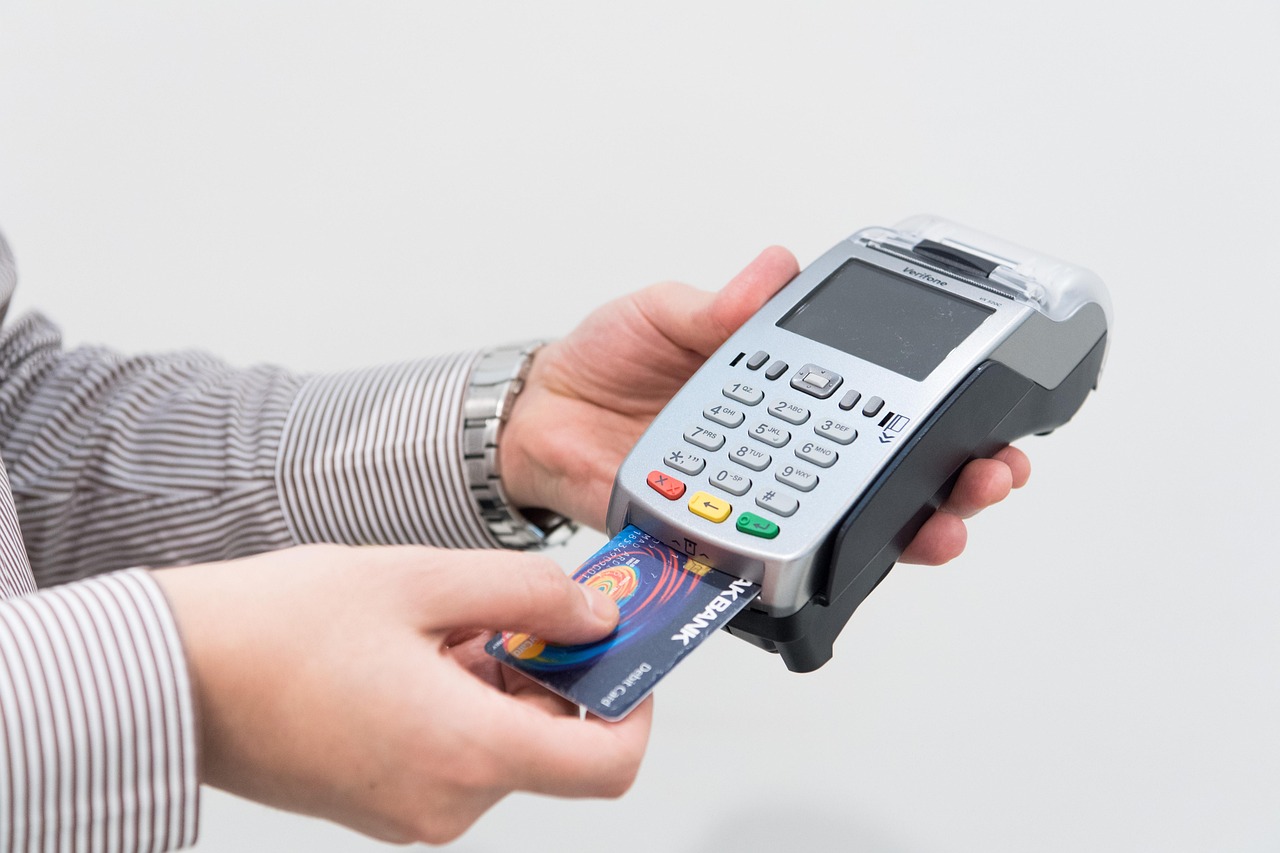
A well-chosen retail till system does far more than process payments — it gives small shop owners real-time visibility over stock, sales and customer behaviour that was once the preserve of large chains. For independent retailers across the UK, investing in a modern electronic point of sale (EPOS) setup is one of the highest-return decisions you can make in year one. This guide covers everything you need to know: what to look for, what to expect to pay, and how to choose the right setup for your shop floor.
What Is an EPOS System and Why Do Small Retail Shops Need One?
An EPOS system combines point-of-sale hardware — a touchscreen terminal, receipt printer, barcode scanner and card reader — with retail management software that records every transaction and feeds data back to you in a usable form. Unlike a traditional cash register, which simply opens a drawer and prints a receipt, a modern EPOS platform tracks stock levels automatically, flags low inventory, generates sales reports and can integrate with your online store or accounting software.
For a small independent retailer — a gift shop, clothing boutique, hardware store, newsagent or farm shop — the practical benefits are immediate: you stop over-ordering slow lines, you spot your best-performing products at a glance, and end-of-day reconciliation takes minutes rather than an hour. The step from a cash register to a modern EPOS system is often simpler than owners expect, and the operational gains arrive quickly.

Key Features to Look for in a Retail EPOS System
Not every platform is built with retail in mind. Before committing, verify the following capabilities are present and not sold as expensive add-ons:
- Stock management: Real-time inventory tracking, low-stock alerts and the ability to set reorder points. For shops with hundreds of SKUs, variant tracking (size, colour) is essential.
- Barcode scanning: Native support for standard UK barcodes (EAN-13) and the ability to create and print your own shelf labels.
- Integrated card payments: A system where the card terminal talks directly to the till removes manual keying errors and speeds up the queue. See our detailed guide to EPOS systems with integrated card payments to understand how this works in practice.
- Reporting and analytics: Daily sales summaries, hourly footfall patterns, bestseller reports and margin analysis — all accessible from a browser or mobile app, not just the till itself.
- Customer loyalty tools: Points-based loyalty schemes, customer accounts and purchase history help independent shops compete with national chains on relationship.
- Multi-tender support: Cash, contactless, chip-and-PIN, gift cards and split payments should all be handled in one transaction.
- Staff management: Individual logins, clock-in/clock-out and permission levels protect your business and simplify payroll.
- Integrations: Compatibility with Xero, QuickBooks, Shopify or WooCommerce depending on your back-office setup.
If you are unsure which features your particular shop genuinely needs, talk to an expert online — a short conversation usually narrows the decision considerably.
EPOS Hardware Explained: Tills, Barcode Scanners, Card Readers and More
The hardware bundle you need depends on the size of your shop, your product range and how you take payments. Here is a practical breakdown of each component:
Touchscreen Terminal
The central till screen is typically a 15-inch or larger all-in-one unit running dedicated EPOS software. Some retailers prefer a tablet-based solution for flexibility; others want a robust, fixed counter unit with a longer lifespan. All-in-one terminals tend to be more reliable in a busy retail environment because there are fewer cables and points of failure.
Barcode Scanner
A corded handheld scanner is the standard choice for counter use; a wireless Bluetooth scanner adds flexibility for stocktaking on the shop floor. Look for one that reads damaged or poorly printed barcodes without repeated attempts — cheap scanners cost time at busy periods.
Receipt Printer
Thermal receipt printers are the industry standard: no ink cartridges, fast print speeds and low running costs. Check whether the printer supports email or SMS receipts, which are increasingly preferred by customers and reduce paper waste.
Cash Drawer
Even as card payments grow, most UK retail shops still take some cash. A lockable steel cash drawer that connects directly to the receipt printer opens automatically on cash sales — this prevents accidental openings and deters theft.
Card Payment Terminal
For a fixed counter, a countertop card machine integrated with the EPOS till is the neatest solution. If your shop layout involves roaming staff or you attend markets and pop-ups, a wireless card machine that pairs with the same system gives you continuity. Our guide to the best wireless card machines for small businesses covers the options in detail.
For shops wanting a single, tidy counter setup, a combined card machine and till system eliminates separate contracts with two providers and simplifies your monthly reconciliation.
How Much Does an EPOS System Cost for a Small Retail Shop in the UK?
Cost is one of the first questions any sensible buyer asks, and it deserves an honest answer. Pricing varies based on whether you buy outright or subscribe, the hardware you choose, and the software tier. The following are indicative market ranges — not quotes — to help you budget:
| Setup Type | Indicative Upfront Cost | Indicative Monthly Software Cost | Best For |
|---|---|---|---|
| Entry-level tablet bundle (software + basic hardware) | Typically from £300–£600 | From £20–£50/month | New startups, single-product shops, low transaction volume |
| Mid-range all-in-one counter system | Typically £700–£1,500 | From £40–£80/month | Established independents, clothing, gifts, general retail |
| Full retail bundle (terminal, scanner, printer, cash drawer, integrated card) | Typically £1,500–£3,000 | From £50–£120/month | Busier shops, multi-department, multi-user environments |
| Multi-till retail setup (2+ terminals, back-office reporting) | Typically £3,000–£6,000+ | From £100/month upwards | Growing independents, small chains, higher footfall |
Card processing rates — the percentage taken on each transaction — are separate and depend on your chosen payment provider and monthly turnover. These are negotiable and are not included in the figures above.
If upfront capital is a constraint, a monthly subscription model that bundles hardware, software and support into a single rolling payment can make the economics work from day one. Our comparison of monthly EPOS subscription versus outright purchase walks through exactly when each approach makes sense.
To see current pricing and bundled offers specific to retail, visit our retail EPOS offers page.
Cloud-Based vs. Traditional EPOS: Which Is Right for Your Shop?
This is a genuine decision point, not a marketing preference. Both architectures suit different retail situations, and understanding the difference helps you avoid regret.
Cloud-Based EPOS
Data is stored on remote servers and syncs in real time. You can check yesterday's sales from home, update product prices from a laptop before the shop opens, and access reports from any device. Software updates happen automatically. The trade-off is dependence on internet connectivity — a decent broadband connection is a prerequisite, and you should understand the system's offline fallback before committing.
Traditional (On-Premise) EPOS
Data sits on a local server or the till itself. It works without internet and is suited to locations with unreliable connectivity. The drawback is that remote access to reports requires extra configuration, and software updates are manual. Hardware replacement can also be more disruptive.
| Consideration | Cloud-Based | Traditional / On-Premise |
|---|---|---|
| Remote access to reports | Yes — any browser, any device | Limited without extra setup |
| Works without internet | Partial (offline mode varies) | Yes — fully local |
| Software updates | Automatic, included | Manual or scheduled |
| Upfront cost | Lower (subscription model common) | Higher (licence purchase common) |
| Scalability | Easy — add tills or sites quickly | Requires hardware investment per site |
| Ideal for | Most modern independents | Rural shops, connectivity-poor locations |
For the majority of small UK retail shops with reliable broadband, a cloud-based platform is the stronger long-term choice. You can book a retail EPOS software demo to see how the cloud interface works before you commit to anything.
How to Get Set Up: Installation, Training and Ongoing Support
One of the most underestimated aspects of buying a till system is what happens after the hardware arrives. A straightforward installation experience and accessible ongoing support can make the difference between a system that transforms your business and one that sits half-configured at the back of the counter.
Installation
Most modern EPOS systems are designed for self-installation: plug in the hardware, connect to Wi-Fi, log in and import your product file via spreadsheet. However, if you have a large catalogue, complex pricing rules or need to migrate data from an existing system, guided installation from the supplier's team saves significant time and prevents early errors.
Staff Training
A well-designed retail EPOS interface should be learnable in under an hour for basic till operations. Look for suppliers who provide video tutorials, a searchable knowledge base and — ideally — a dedicated onboarding session. Your staff will not tolerate a complicated system during a busy Saturday, so usability matters as much as feature depth.
Ongoing Support
Ask specifically about support hours, response times and whether telephone support is included in the base subscription or charged separately. UK-based support teams tend to understand the specific compliance context — HMRC Making Tax Digital, ICO GDPR obligations around customer data — that overseas call centres sometimes cannot address with confidence.
If you want to compare how different supplier approaches to support stack up, our independent comparison of till system providers covers this in detail alongside feature and pricing differences.
Why UK Retailers Choose EPOS Direct for Their Shop Till Systems
EPOS Direct has supplied and supported point-of-sale systems to independent retailers, convenience stores, boutiques and specialist shops across the United Kingdom for many years. The team understands the specific pressures facing small retail businesses: tight margins, lean staffing, seasonal variation and the ongoing shift to card and contactless payments.
What distinguishes the EPOS Direct approach is the combination of purpose-built retail software, robust UK-sourced hardware and UK-based support — all available under a single account. There is no need to manage a separate till provider, a separate card machine contract and a separate software licence; the platform brings them together. You can explore the full software capability at eposdirect.co.uk/software before speaking to anyone.
For retailers who want a broader overview of the market before deciding, the EPOS Direct home page brings together the latest offers, product information and buying guides in one place. You can also read our wider guide to the best till systems for small businesses in the UK for a broader perspective on what the market offers.
Written by the EPOS Direct UK team, who help independent retailers, hospitality operators and specialist businesses across the United Kingdom choose and configure the right EPOS setup every day.
Ready to Find the Right Setup for Your Shop?
The best till system for your shop is the one that fits your product range, your counter space, your staff and your budget — not the one with the longest feature list. Whether you are opening your first retail unit or replacing an ageing cash register that is slowing you down, getting the specification right from the start saves time, money and frustration.
EPOS Direct UK offers free, no-obligation guidance from specialists who work with independent retailers daily. Request a free demo to see the system in action, or request a call back and a member of the team will walk you through the options that suit your specific shop — at a time that works for you.
Frequently asked questions
- How much should I expect to pay for an EPOS system for my small shop?
- For a single-till setup in a small UK retail shop, you can typically expect to pay between £300 and £800 upfront for entry-level hardware (touch-screen till, receipt printer, barcode scanner and card reader). Software licences usually range from £20 to £60 per month depending on features. Some providers, including EPOS Direct UK, offer bundled packages that reduce the total cost of ownership significantly. Always check whether card payment processing fees are included or charged separately.
- Do I need an internet connection to run a retail EPOS system?
- Most modern EPOS systems are cloud-based and work best with a stable broadband connection, as this allows real-time stock updates, remote reporting and automatic software updates. However, many systems — including those from EPOS Direct UK — offer an offline mode so your till keeps processing sales even if your internet drops, syncing data automatically once reconnected.
- Can an EPOS system help me manage stock across multiple retail locations?
- Yes. Even if you currently run a single shop, choosing a scalable EPOS system that supports multi-site stock management is a smart investment. With a cloud-based system you can view and transfer stock between locations, set reorder alerts, and generate consolidated sales reports — all from one dashboard. This makes it much easier to expand without replacing your technology.
