We use cookies to make your experience better.
To comply with the new e-Privacy directive, you agree to the privacy policy and our use of cookies

How to Upgrade Your Till System to Accept Contactless Payments
How to Upgrade Your Till System to Accept Contactless Payments
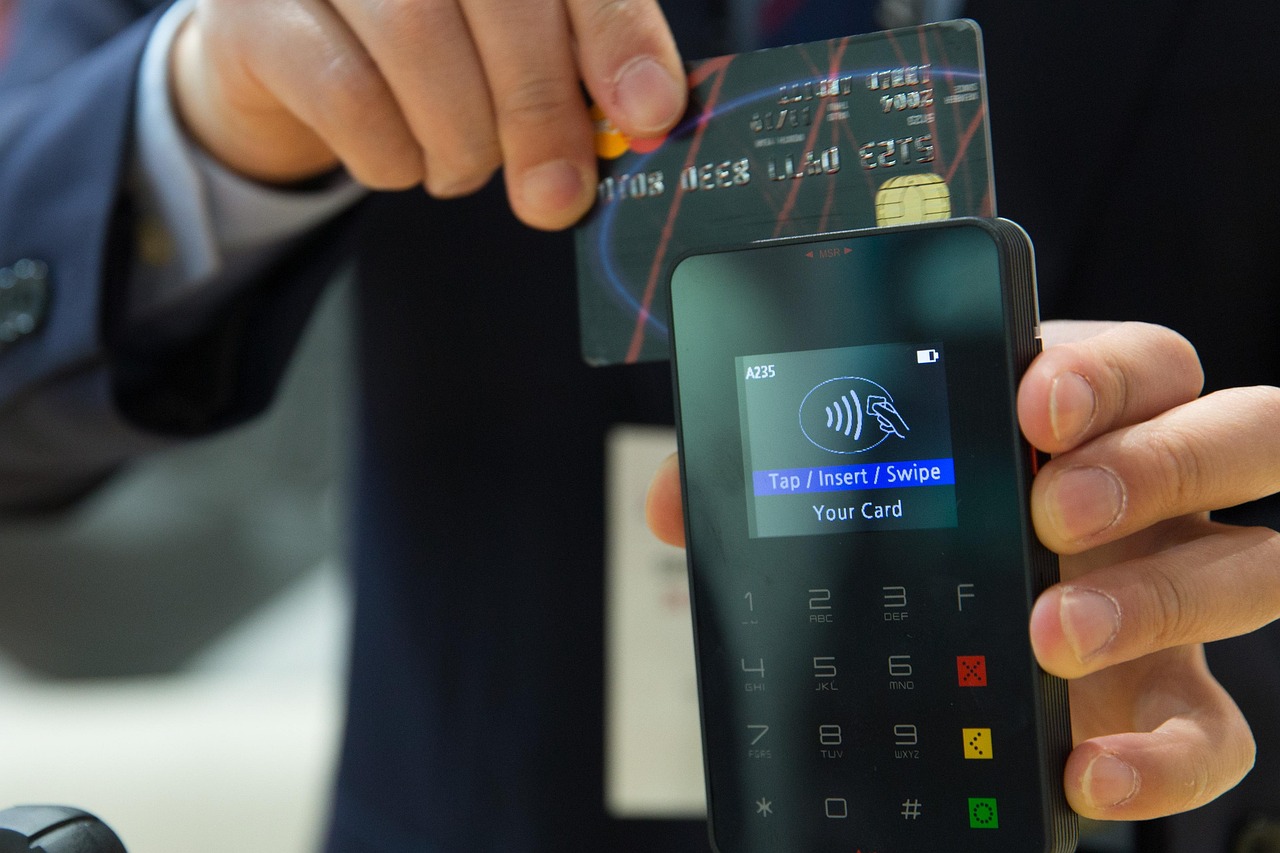
Accepting contactless payments is no longer a competitive advantage — it is a baseline expectation from UK consumers. Whether you run a busy high-street shop, a café, or a licensed premises, upgrading your till setup to handle tap-to-pay cards, Apple Pay and Google Pay is one of the most commercially straightforward improvements you can make. This guide walks you through every decision in the process: from assessing what your current system needs, to choosing between a hardware upgrade and a full EPOS switch, to understanding realistic costs and avoiding the most common pitfalls.
Why Contactless Payments Are Now Essential for UK Retailers and Hospitality Businesses
UK Finance data consistently shows that contactless transactions account for the majority of all in-person card payments made in the United Kingdom, and that proportion continues to grow year on year. The contactless limit was raised to £100 per transaction in 2021, and mobile wallet payments through Apple Pay and Google Pay carry no ceiling at all — meaning customers can now pay for high-value purchases with a single tap. For retailers and hospitality operators, refusing or failing to offer contactless is not just inconvenient; it actively costs sales.
Beyond consumer preference, there are practical operational benefits. Contactless transactions are faster — queues move more quickly, table turns improve in restaurants, and staff spend less time handling cash. Reduced cash handling also lowers the risk of human error at the till and cuts the time and cost associated with banking runs. If your current setup cannot reliably accept a tap payment, the case for upgrading is clear.
What Does a Contactless-Ready Till System Actually Need?
A fully contactless till involves more than simply plugging in a card reader. Three components must work together correctly:
1. A Payment Terminal with NFC Capability
Near Field Communication (NFC) is the wireless technology that makes tap-to-pay work. Your card terminal must be NFC-enabled. Most modern card machines sold in the UK since around 2018 include NFC hardware, but older countertop terminals — particularly those leased through banks on rolling contracts — may not support it, or may have NFC disabled by the payment processor. Check your terminal's specification sheet or ask your provider directly.
2. A Payment Processor That Enables Contactless and Mobile Wallets
Hardware alone is not sufficient. Your merchant account and payment processor must have contactless and mobile wallet acceptance switched on. Some legacy processor agreements explicitly exclude Apple Pay or Google Pay. If you are unsure, your processor's merchant portal or a call to their support line will confirm what your current agreement covers.
3. Integration Between Your Till and Your Terminal
This is the step many businesses overlook. A contactless terminal that operates in isolation — where staff key the sale amount in manually — creates errors, slows service, and breaks your sales reporting. True integration means your EPOS software sends the transaction total directly to the terminal, the payment result flows back automatically, and every sale is recorded accurately in one place. For a genuinely useful guide to systems that handle this well, see our roundup of the best EPOS systems with integrated card payments in the UK.
Your Options: Upgrade Your Existing Till or Switch to a New EPOS System
Once you have diagnosed what is missing, the path forward typically falls into one of three scenarios:
| Scenario | What You Have | What You Need | Typical Approach | Best For |
|---|---|---|---|---|
| Terminal swap only | Modern EPOS software, outdated or bank-leased card machine | NFC-capable terminal from a compatible processor | Replace or add a new card machine; check software integration | Businesses with good EPOS software already in place |
| Processor & terminal upgrade | Modern EPOS, old processor contract | New merchant agreement plus new terminal | Switch payment processor; redeploy or upgrade hardware | Businesses on legacy bank contracts with poor rates |
| Full EPOS replacement | Cash register or basic till with no software integration | EPOS software, hardware, and integrated payment terminal | New EPOS system with integrated contactless payments | Businesses ready to modernise reporting and operations |
If your till is an older cash register with no software layer, upgrading the card machine alone will not give you integrated payments — it will just give you a separate machine sitting next to your till. In this case, moving to a full EPOS system is the right answer. Our guide to switching from a cash register to a modern EPOS system explains what that transition involves for UK retailers.
Step-by-Step: How the Upgrade Process Works
- Audit your current setup. Identify your till software (or confirm you have none), your existing payment terminal model, and your current merchant account provider. Note any contract end dates — early termination fees can affect the timing of a switch.
- Confirm NFC hardware capability. Look up your terminal model online or check your provider's documentation. If NFC is listed as a feature but contactless is not working, it may need to be activated — call your processor.
- Choose your payment processor. Compare transaction rates, monthly fees, settlement times, and which EPOS systems the processor integrates with natively. A processor that integrates directly with your till software eliminates manual reconciliation entirely.
- Select compatible EPOS software and hardware. If a full switch is needed, choose an EPOS platform that supports your sector — retail, hospitality, or specialist (such as pharmacy or off-licence). Browse the EPOS Direct UK home page for current offers and system information.
- Install, configure and test. A reputable EPOS supplier will handle configuration. Before going live, run test transactions using a contactless card and a mobile wallet to confirm the full payment flow — from EPOS to terminal and back.
- Train your team. Contactless acceptance is simple for customers, but staff should understand how to prompt tap payments, handle declined contactless attempts, and reset the terminal if needed.
- Go live and monitor. Check your first few days of sales reporting to confirm that contactless transactions are recording correctly in your EPOS dashboard.
How Much Does It Cost to Add Contactless Payments to a Till System in the UK?
Cost varies significantly depending on how much of your setup needs to change. The figures below are honest indicative ranges based on typical UK market pricing — they are not fixed quotes, and your actual costs will depend on your business size, transaction volumes, and the specific supplier you choose.
- NFC-capable card terminal only: Purchasing a standalone wireless card machine outright typically starts from around £50–£150 for entry-level devices; more capable integrated terminals tend to fall in the £150–£300 range. Our guide to the best wireless card machines for small businesses in the UK covers the leading options in detail.
- Payment processing fees: Merchant service charges for card-present contactless transactions in the UK typically range from around 0.5% to 1.75% per transaction for small businesses, depending on volume and the processor. Some providers offer flat-rate pricing. Always read the full fee schedule, including monthly terminal rental charges if applicable.
- Full EPOS system with integrated payments: A complete retail or hospitality EPOS setup — software, hardware, and payment integration — typically starts from around £20–£50 per month on a subscription model, or from several hundred pounds upfront for an outright purchase, depending on configuration. For a clear breakdown of the two approaches, see our article comparing a monthly EPOS subscription versus outright purchase.
The total cost of inaction is worth calculating too. If missed contactless sales, slower service, and manual reconciliation errors are costing you even a small amount each week, the payback on a proper upgrade is often faster than business owners expect.
If you would like a tailored quote for your specific setup, you can request a call back from the EPOS Direct UK team — no obligation, and no pressure.
Choosing the Right Payment Terminal and EPOS Integration
Not all payment terminals play nicely with all EPOS platforms. When evaluating your options, ask these questions:
- Is the integration native or via middleware? Native integrations — where the EPOS software and terminal are designed to work together — are more reliable and easier to troubleshoot than third-party middleware bridges.
- Does the terminal support all the payment types your customers use? At minimum: chip-and-PIN, contactless card, Apple Pay, Google Pay, and Samsung Pay. If you serve international visitors, check for Amex and Diners acceptance.
- What are the settlement and reconciliation terms? Faster settlement (next business day is now standard with many processors) improves cash flow. Automatic reconciliation into your EPOS reports saves accounting time.
- Is the terminal portable or countertop? Hospitality businesses — restaurants, cafés, bars — benefit significantly from pay-at-table capability through a wireless or handheld terminal. Retail environments may only need a fixed countertop device.
If you are in the process of selecting a broader system, our buyer's guides for the best till systems for small businesses and for the best till systems for small shops set out the key criteria in plain terms. You can also explore our retail EPOS offers or, for food and drink businesses, view our hospitality and restaurant EPOS offers.
Common Mistakes to Avoid When Upgrading to Contactless
Assuming a new card machine automatically integrates with your till
A new NFC terminal that is not integrated with your EPOS software is an improvement for customers, but it creates a manual reconciliation problem for your business. Always confirm integration before purchasing.
Ignoring contract lock-in on your existing terminal
Bank-leased terminal contracts can carry substantial early exit fees. Check your agreement carefully. If you are locked in, factor the exit cost into your upgrade budget — or time the switch to coincide with your renewal window.
Choosing a processor based on headline rate alone
The advertised per-transaction rate is rarely the full picture. Monthly rental fees, minimum monthly service charges, PCI compliance fees, and authorisation fees can substantially increase the real cost. Request a full fee schedule in writing before signing anything.
Skipping staff training
A contactless terminal that staff are unsure how to operate creates checkout friction and undermines the very speed advantage you are trying to gain. Even a 20-minute team briefing before go-live makes a measurable difference.
Not testing the full payment flow end-to-end
Many businesses go live having only tested chip-and-PIN. Test a contactless card transaction, an Apple Pay payment, and — where relevant — a split-tender payment before you open the doors.
Quick Reference: Does Your Till Already Qualify?
If you are unsure whether your current system can handle contactless without any additional work, the answer is usually yes if all three of the following are true: your card terminal is NFC-enabled and contactless is activated by your processor; your merchant agreement explicitly covers Apple Pay and Google Pay; and your EPOS software communicates with your terminal electronically rather than requiring staff to key in amounts manually. If any of these is not in place, an upgrade of some kind is needed.
To see how leading systems compare on these criteria, our independent till system comparison guide is a useful reference point.
Ready to Accept Contactless Payments? EPOS Direct UK Can Help
Upgrading to a fully contactless till setup is a straightforward process when you have the right guidance and the right system. EPOS Direct UK works with independent retailers, hospitality businesses, and specialist operators across the United Kingdom every day, helping them choose, configure and deploy systems that handle every payment type their customers expect.
Start with a free demo tailored to your business type, or talk to one of our EPOS experts online — they can assess your current setup, recommend the most cost-effective upgrade path, and give you a clear picture of what it will cost before you commit to anything.
Written by the EPOS Direct UK team, who support UK retailers, restaurants and specialist businesses with EPOS and payment system decisions every day.
Frequently asked questions
- Can I add contactless payments to my existing till without replacing the whole system?
- In many cases, yes. If your current EPOS software supports third-party payment integrations, you may only need to add a compatible card reader or payment terminal. However, if your till runs legacy software or outdated hardware, a full upgrade is often more cost-effective in the long run. EPOS Direct can assess your current setup and advise the most practical route.
- How much does it typically cost to enable contactless payments on a till system in the UK?
- Costs vary depending on your route. Adding a standalone contactless card reader to an existing compatible system can start from around £150 to £300 for the hardware, plus monthly transaction or software fees from your payment provider. A full EPOS system replacement with integrated contactless payments typically ranges from £500 to £1,500 or more per terminal, depending on the hardware spec and software package. Many providers, including EPOS Direct, offer finance options or bundles that reduce upfront cost.
- Will upgrading my till system disrupt my day-to-day business operations?
- Disruption is usually minimal when planned properly. Most EPOS upgrades can be installed and configured outside trading hours, and staff training on contactless terminal use is typically straightforward. EPOS Direct provides on-site installation support and remote assistance to ensure your new system is up and running with minimal downtime.
