We use cookies to make your experience better.
To comply with the new e-Privacy directive, you agree to the privacy policy and our use of cookies

Pharmacy EPOS System UK: How to Choose the Right Pharmacy EPOS Provider
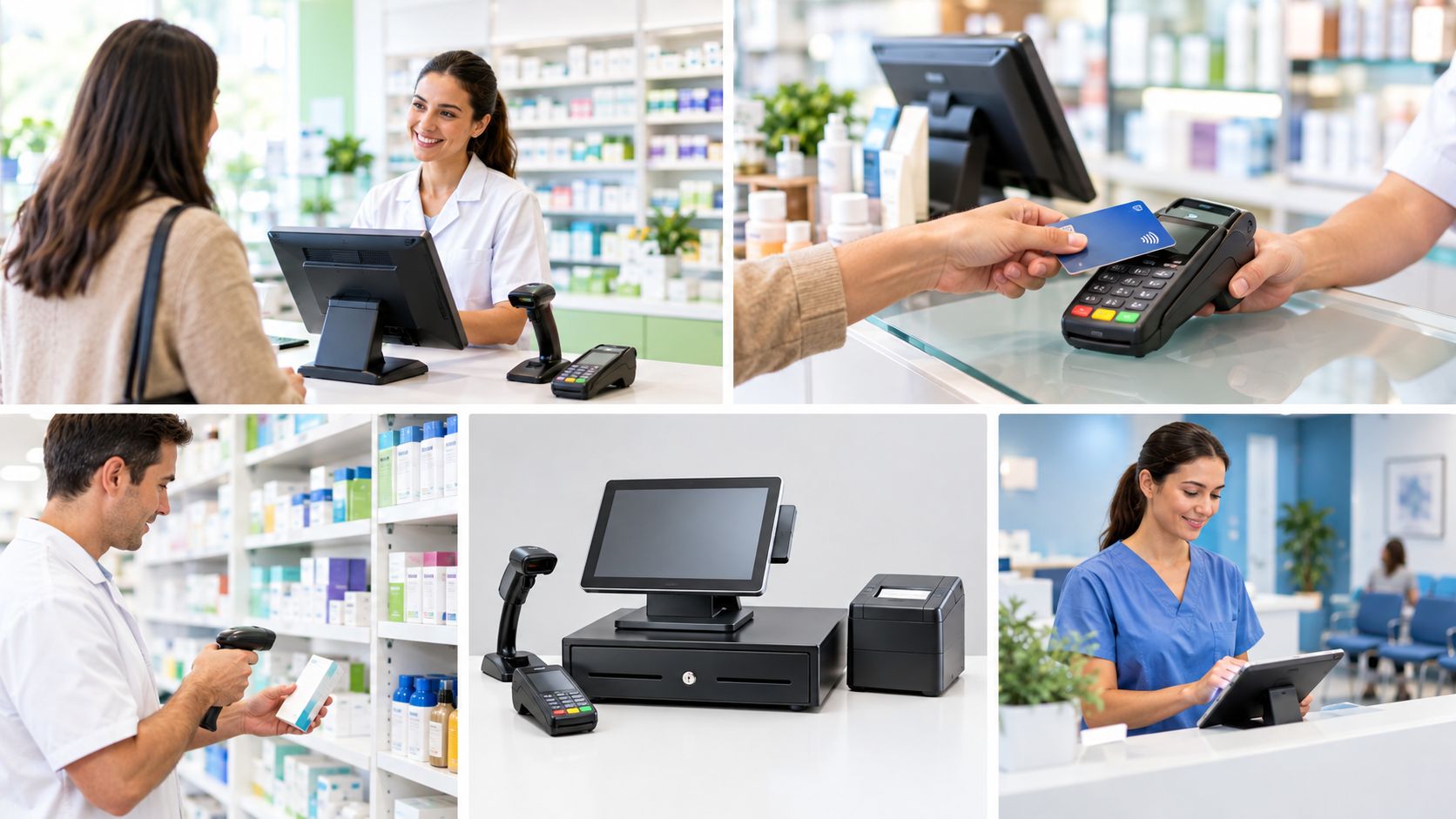
A pharmacy counter is not like a normal shop counter. One customer wants a prescription collected, the next wants a sun cream and a word with the pharmacist, and the third is paying for a travel vaccination. A pharmacy epos setup has to cope with all of it without slowing the queue. At EPOS Direct, we’ve supplied and supported tills for independent chemists and small groups across the UK, and this guide covers what to look for, what to ask and where owners often go wrong.
What Is a Pharmacy EPOS System?
A pharmacy epos system is the software and hardware that handles your retail sales, payments and stock reporting at the counter. In the UK, epos stands for Electronic Point of Sale. It typically includes a touchscreen terminal, barcode scanner, receipt printer, cash drawer and card machine.
An epos system for pharmacy store use differs from a general retail till because of what you sell. Over-the-counter medicines, health aids, cosmetics, vitamins and services all sit side by side, and some products need extra care at the point of sale.
EPOS vs Dispensing Software: Know the Difference
This is the point that confuses many first-time buyers. Pharmacy software used for dispensing, such as patient medication records and NHS claims, is a separate system from your till. Your pharmacy pos system looks after retail sales and payments. Many providers can link the two so that prescription charges and retail sales end up in one end-of-day picture, but you should always ask exactly what is integrated and what is not. A good pharmacy epos provider will explain this plainly rather than promise everything.
Why Pharmacy Point of Sale Systems Matter
Pharmacy point of sale systems earn their place in four areas.
Faster Counter Service
Scanning, quick-access buttons and fast card payments shorten queues, especially at lunchtime and after surgery hours. That leaves staff more time for customer advice.
Better Stock and Expiry Control
Healthcare products carry dates, and dead stock ties up cash. An EPOS that updates stock with every sale helps you see slow movers and reorder before shelves empty. Some pharmacy till system options also support batch or expiry tracking for retail lines, so check this if it matters to you.
Clear Margin Visibility
Seeing profit per product, rather than just turnover, shows which lines are worth the shelf space. Many chemists find that cosmetics and health supplements carry very different margins from everyday essentials.
Cleaner Records for Your Accountant
A pharmacy accounting system works best when your sales data flows into it without re-keying. Look for EPOS software that exports daily takings, VAT breakdowns and category sales to common accounting packages. Rules on VAT for medicines can be complicated, so confirm treatment of specific products with HMRC or your accountant.
Essential Features of Pharmacy EPOS Software
If you’re comparing pharmacy epos software options, these are the features that matter most.
Integrated Card Processing
A pharmacy epos system with card processing lets the till and card terminal talk to each other. The amount is sent automatically, which removes keying errors and speeds up every sale. Ask about contactless, chip-and-PIN, mobile wallets and the processing rates you’ll pay. Your provider should also confirm PCI DSS compliance, the standard that protects card data.
Restricted and Age-Related Sales Prompts
Certain products, such as some pain relief with pack-size limits, need staff to take extra steps. Good pharmacy pos software can show prompts at the point of sale so nobody relies on memory during a rush. These prompts support your processes, but they don’t replace the professional judgement of your pharmacist or the guidance of the General Pharmaceutical Council (GPhC). Always check current requirements with the regulator.
Product Database and Fast Barcode Scanning
You may stock thousands of lines. Your system should scan quickly, import products in bulk and make it easy to add new ones without manual typing.
Reporting Staff Will Actually Use
Daily sales, top sellers, category performance and staff activity should be easy to read. If reports need an expert to interpret them, they won’t be opened.
Multi-User Permissions
Locum staff, counter assistants and managers need different access levels. Role-based logins protect refunds, discounts and price changes.
Pharmacy Till Hardware: What You Need
Your pharmacy till is only as dependable as its hardware.
Component | Why it matters |
Touchscreen terminal | Fast, easy to learn and durable in daily use |
Barcode scanner | Speed at the counter and quicker stock checks |
Receipt printer | Reliable thermal printing with an auto-cutter |
Cash drawer | Secure and linked to the printer or terminal |
Card terminal | Integrated payments to avoid keying errors |
Customer display (optional) | Helps customers see prices as they are rung up |
Keep your terminal away from sunlight and any heat source, since thermal paper fades and hardware wears faster in poor conditions.
Medical POS Systems and Healthcare POS Systems Beyond the Chemist
The same principles apply to a medical pos system in other settings, such as private clinics, dental practices, opticians and health shops. Healthcare pos systems in those environments often need appointment-linked payments, treatment packages and strict record-keeping. If your business offers both retail and services, ask whether your EPOS handles both from one screen. Many chemists now run vaccinations, health checks and consultations alongside retail, and the till should manage them cleanly.
How to Choose a Chemist EPOS Provider
Follow these steps before signing anything.
- Define what you need to connect. Your dispensing software, accounting package and card terminal all affect which chemist epos setup suits you.
- List your product and service range. Include retail lines, services and any items that need prompts.
- Ask for total cost. Include hardware, licences, payment processing, installation, support and contract length. A low monthly fee can hide expensive extras.
- Check support hours. Pharmacies often open early, late and at weekends, so support needs to match.
- Ask who owns your data. You should be able to export sales and product data if you ever switch provider.
- Request a live demo. Scan items, process a refund, take a card payment and run an end-of-day report. Count the taps.
What We’ve Learned at EPOS Direct
Working with UK pharmacies has taught us a few consistent lessons.
- Integration questions come first. Ask early what links to your dispensing system and what does not. Surprises at go-live are costly.
- Product setup is the hidden job. Importing your range accurately on day one saves months of tidying later.
- Training beats features. A simpler system your team understands will outperform a complex one they avoid.
- The cheapest quote isn’t always the cheapest. Support, payment fees and hardware replacement can erase an apparent saving.
We’ll tell you honestly if a simpler setup fits your pharmacy better than the one you first asked about.
Frequently Asked Questions About Pharmacy EPOS Systems
What is a pharmacy EPOS system?
A pharmacy EPOS system is the till software and hardware used for retail sales, payments and stock reporting at a chemist’s counter. It’s separate from dispensing software, although some providers link the two.
What is the best EPOS system for a pharmacy in the UK?
The best choice depends on your product range, number of tills and how you want to link your dispensing and accounting software. Compare scanning speed, card processing, stock tools, UK support and total cost.
How much does a pharmacy EPOS system cost?
Cost depends on the number of terminals, scanners, printers and the software plan. Ask for an itemised quote that includes hardware, licences, payment processing, installation and support.
Is a pharmacy EPOS the same as dispensing software?
No. EPOS handles retail sales and payments, while dispensing software manages prescriptions and patient records. Some systems can share data, so ask your provider what integration is available.
Can a pharmacy EPOS take card payments?
Yes. A pharmacy EPOS system with card processing sends the sale total directly to the card terminal, which speeds up payments and reduces keying mistakes.
Can a pharmacy EPOS track stock and expiry dates?
It can track stock levels automatically with every sale. Expiry or batch tracking varies by product, so confirm what each system supports before you buy.
Does EPOS help with pharmacy accounting?
Yes. Many systems export daily takings, VAT breakdowns and category sales to accounting software, which reduces manual entry and helps your accountant.
How long does it take to install a pharmacy EPOS?
Hardware can often be fitted in a day. Importing products, setting up users and training staff typically take a few more days. Avoid switching during your busiest trading period.
Choose the Right Pharmacy EPOS Provider with EPOS Direct
The right pharmacy epos uk setup should speed up your counter, protect your margins and fit around your existing systems without adding complexity for your team. Talk to EPOS Direct about your pharmacy, and we’ll recommend a configuration that suits your trade and budget, even if that means something simpler than you expected.

Recent Posts