We use cookies to make your experience better.
To comply with the new e-Privacy directive, you agree to the privacy policy and our use of cookies

Thermal Receipt Printer Guide: Choosing the Right EPOS Printer for Your Business
A receipt printer is easy to ignore until it jams in the middle of a Saturday rush. Then it’s the only piece of kit anyone talks about. At EPOS Direct, we’ve fitted and fixed hundreds of printers in shops, cafés, restaurants and bars, and the same few mistakes come up again and again. This guide covers what a thermal receipt printer does, how to choose the right EPOS printer, and what to check before you buy.
What Is a Thermal Receipt Printer?
A thermal printer prints by heating special paper instead of using ink or ribbon. Tiny heating elements in the print head darken the coating on the paper, which produces text, barcodes and logos. Because there’s no ink, there’s nothing to refill and fewer moving parts to wear out.
That’s why most POS printers sold today are thermal. They’re quick and quiet, and they cost very little to run beyond the paper itself.
How a Thermal Printer Works in a Busy Till Area
When a sale is completed, your EPOS software sends the transaction to the printer as a set of commands. The printer feeds the roll past the print head, prints the receipt and, if it has an auto-cutter, slices it off. The whole thing takes a second or two. Most business-grade models follow the common ESC/POS command language, which is why one printer can often work with several different EPOS systems.
EPOS Printer vs POS Printer: What’s the Difference?
Not much, in practice. “EPOS” (Electronic Point of Sale) is the usual term in the UK, while “POS” is more common in international listings. An epos printer and a pos printer are the same type of device: a compact printer built to work with till software. If you’re searching for epos printers or pos printers, you’ll see both terms on product pages for identical hardware.
What actually matters is whether the printer is built for commercial use. A desktop office printer isn’t. It’s too slow, it can’t print on narrow rolls, and it won’t take commands from your till.
Types of Receipt Printer for Different Jobs
Most venues need more than one kind of printer. Here’s how they usually split.
Till Printer for Customer Receipts
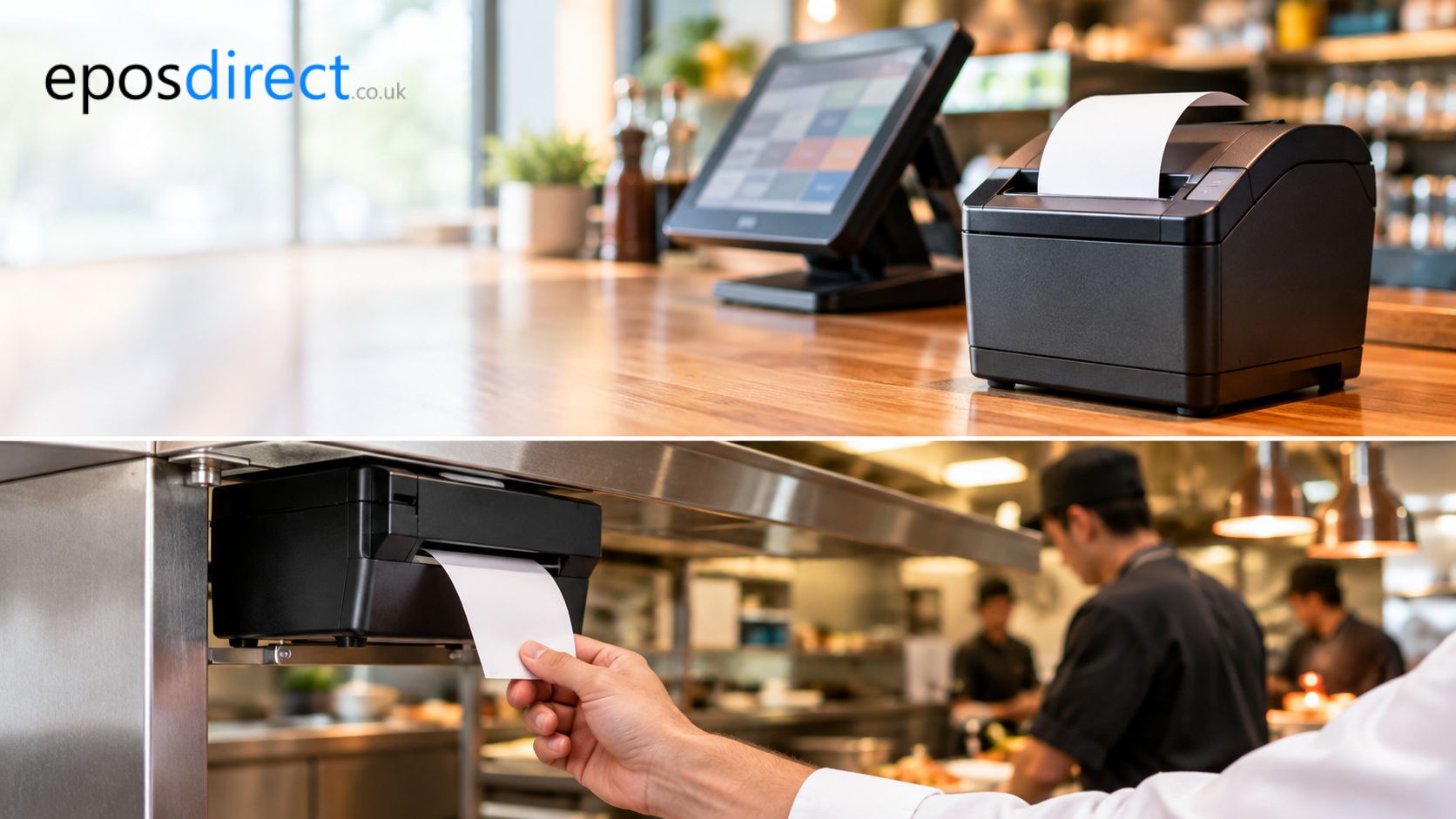
A till printer sits next to the terminal and prints customer receipts, refunds and end-of-day reports. In a shop or café, this is usually the only printer you need. Look for a fast, reliable receipt printer with an auto-cutter, because tearing paper by hand slows the queue and tears receipts unevenly.
Many till printers also have a cash drawer port. The printer sends a signal that pops the drawer open when a cash sale is completed, so you don’t need a separate connection back to the terminal.
Order Printer for Kitchens and Bars
An order printer sends tickets to the kitchen, bar or prep area. In a restaurant, a drinks order goes to the bar printer while a starter goes to the cold section, so nobody has to shout across the room.
Kitchens are tough on equipment. Heat, steam and grease can affect thermal paper and shorten a printer’s life. Some operators choose impact (dot-matrix) printers for hot kitchens, since they print through ribbon and cope better with warmth. They’re louder, but they cope. Others stay with thermal and position the printer away from the fryer. Either way, think about where the printer will physically sit before you order.
Key Features to Check in EPOS Receipt Printers
The spec sheet for an epos receipt printer can be dense. These are the points that make a real difference day to day.
Paper Width and Roll Size
Most receipt printers use either 58mm or 80mm paper. The 80mm size is the standard for restaurants and retail because it fits more detail, such as modifiers, allergen notes and VAT breakdowns. The 58mm size suits small counters and handheld devices. Check the maximum roll diameter too, as larger rolls mean fewer paper changes during a service.
Print Speed and Auto-Cutter
Speed is measured in millimetres per second. A figure around 200mm/s or more is comfortable for most hospitality use, while a slow printer in a busy kitchen creates delays. A reliable auto-cutter is worth paying a little extra for, as cheap cutters are one of the most common failure points we see.
Connectivity Options
Printers typically connect by USB, Ethernet, Wi-Fi, Bluetooth or serial. For fixed locations, we usually recommend Ethernet. It’s stable, it doesn’t drop out, and it lets several terminals share one printer. Bluetooth is handy for mobile and handheld setups but can be less reliable in crowded venues with lots of wireless signals.
Compatibility With Your EPOS Software
This is the one people forget. Before buying any pos printer, confirm it’s supported by your EPOS software. A great printer is useless if the software can’t talk to it. If you’re not sure, ask your EPOS provider for a list of approved models.
Common Thermal Printer Problems and Quick Fixes
Most faults are simple. Before calling for support, try these:
- Faded or blank receipts: the paper may be loaded the wrong way round. Thermal paper only prints on one side.
- Paper jams: check for a badly fitted roll or a dirty cutter blade, and remove any scraps from the feed path.
- Streaky print: the print head probably needs cleaning. Use isopropyl alcohol on a lint-free cloth, with the printer switched off and cooled down.
- Printer not responding: check the cable or network connection, then restart both the printer and the terminal.
- Receipts fading over time: thermal paper reacts to heat, light and some plastics. Receipts kept in a hot window or a wallet can fade within months, so keep important records digitally.
If you need receipts to last, such as for warranties or expenses, offer email receipts alongside the printed copy.
What We’ve Learned at EPOS Direct
After years of supplying and supporting printers for UK businesses, a few lessons stand out.
Cheap paper causes expensive problems. Low-quality rolls leave dust on the print head and shorten its life. Buying decent paper from a reliable supplier costs a little more, but it protects your printer.
One printer is rarely enough in a restaurant. A single shared printer for the till, kitchen and bar creates bottlenecks. Separate printers for each station keep service moving.
Placement matters more than people expect. We’ve seen printers fail early because they were fitted beside a grill or in direct sunlight. A few extra metres can add years to a printer’s life.
Buy for the busiest day, not the average one. A printer that copes on a quiet Tuesday can struggle on Christmas Eve. Choose one rated for heavier use than you think you need.
We’ll always tell you if a simpler, cheaper model will do the job, because a bigger spec isn’t always a better fit.
Frequently Asked Questions About Thermal Receipt Printers
What is a thermal receipt printer?
A thermal receipt printer produces receipts by heating special paper, so it needs no ink, toner or ribbon. It’s the most common type of receipt printer in shops, cafés and restaurants because it’s fast, quiet and cheap to run.
What is the difference between an EPOS printer and a normal printer?
An epos printer is built to connect to till software, print on narrow paper rolls and handle constant use. A normal office printer is designed for A4 sheets and can’t take till commands, open a cash drawer or keep pace with a busy counter.
Do thermal printers need ink?
No. A thermal printer uses heat-sensitive paper rather than ink or toner. Your only ongoing cost is paper, though the print head will eventually wear out after heavy use and may need replacing.
What size paper does a POS printer use?
Most pos printers use 80mm or 58mm rolls. The 80mm size is the standard for restaurants and retail, while 58mm suits handheld devices and small counters. Check your printer’s specification before ordering paper.
Can I use one printer for receipts and kitchen orders?
You can in a very small venue, but it’s not ideal. A separate order printer for the kitchen or bar stops tickets queuing behind customer receipts and keeps service running smoothly.
How long do thermal receipt printers last?
Many commercial models are rated for tens of millions of lines or several years of regular use. Real-world lifespan depends on paper quality, cleaning, heat exposure and how busy your venue is.
Why are my thermal receipts fading?
Thermal paper reacts to heat, sunlight and friction, so receipts can fade quickly if stored badly. Keep them somewhere cool and dark, and offer digital receipts for anything you need long term.
Choose the Right Till Printer with EPOS Direct
The right thermal receipt printer keeps your queue moving and your staff focused on customers rather than hardware. If you’re unsure which epos printers suit your venue, speak to EPOS Direct. Tell us how you trade, and we’ll recommend a setup that fits, with no pressure and no unnecessary extras.


Recent Posts